
Cabina
Cabina is a clean side pane for Claude Code that shows what your session is doing at a glance: context window, 5-hour and 7-day rate limits with reset countdowns, session cost and spend per hour, activity, trends, edited files and git status. 11 themes with dark and light palettes checked for WCAG contrast, an optional painted background, any language, and every section can be hidden. For anyone who wants their usage in view without the clutter.
claude plugin validate to auditGuide →Makes outbound network requests, calls MCP servers, or requests auth handles.
Statically scanned from hooks & source. Learn how to audit

Cabina
A clean side pane for Claude Code: everything your session is doing, at a glance.



🇪🇸 Español
Install · Commands · Settings · Themes · Languages
📸 Screenshots
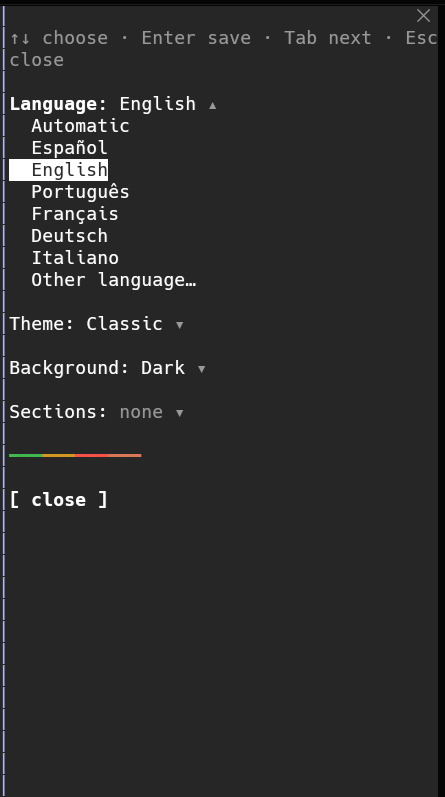 Language | 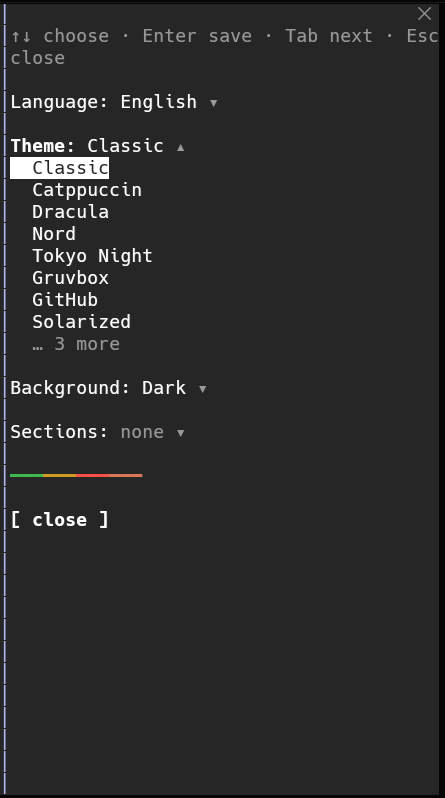 Theme | 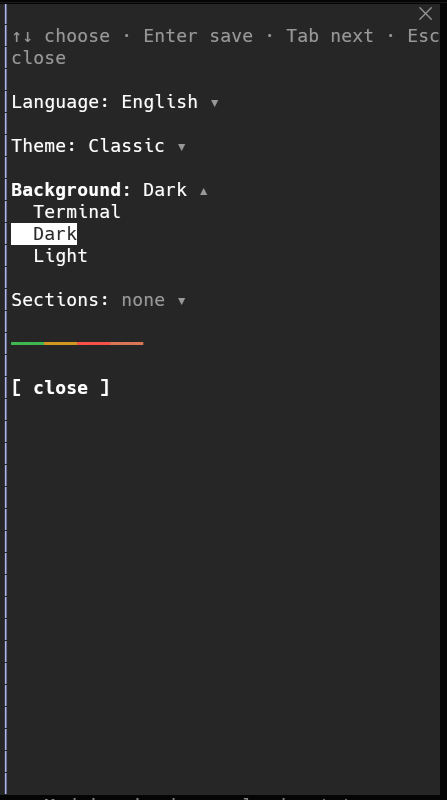 Background | 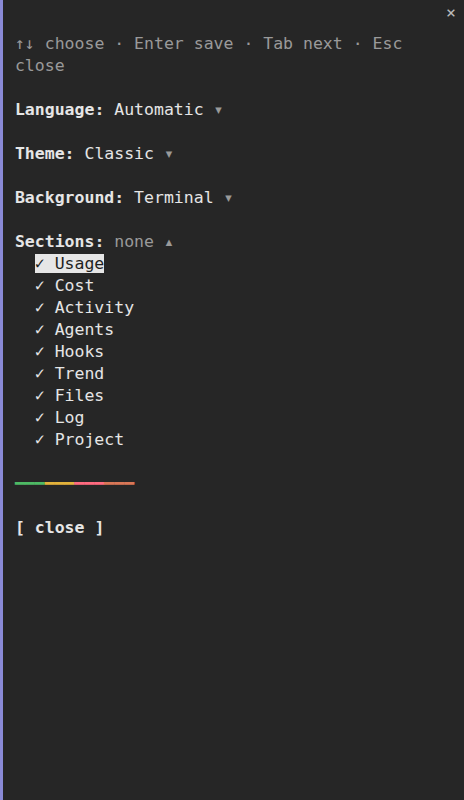 Sections |
What it does
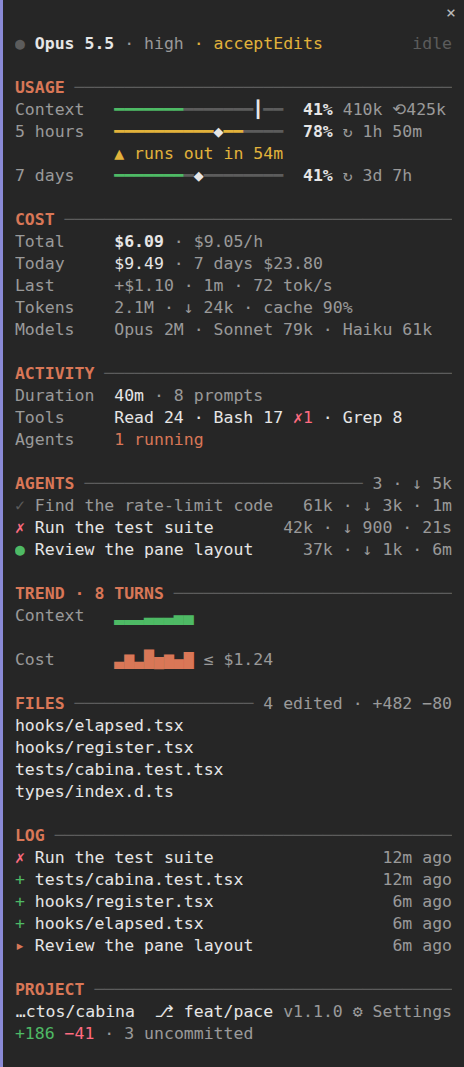
Cabina docks a pane beside the conversation that keeps the numbers you usually go looking for: how full the context window is, how close you are to your 5‑hour and 7‑day limits and when they reset, what the session has cost and how fast it is spending, what Claude is doing right now and which files it touched. It updates by itself and stays out of your way. Anything you don't need can be hidden.
Features
- Usage: context window, 5‑hour and 7‑day rate limits with reset countdowns, colored green → amber → red as they fill. A
◆on each limit marks where an even pace would be, and▲ High pace · runs out in 1h25mwarns when the current pace empties it before the reset (▲ Critical, in red, when less than a tenth of the window is left). A critical limit, or one past 90 %, also sends one notification per window, and the compact view and the status line show a▲next to it. The context bar marks where autocompact kicks in (410k ⟲38k: tokens used and left before it). A compact button shows up past 70 % context and asks for a second press. - Cost: session total, spend per hour, today and the last 7 days across sessions (against a daily budget if you set one), what the last turn cost, took and its speed in tok/s, tokens with cache hit rate, and tokens per model when several are used. With several accounts, "Account" splits what the current one spent from "All".
- Activity: session length, prompts sent, most used tools with their failures (
Bash 12 ✗2) and running subagents. - Agents: each subagent with its tokens and time,
●while running,✓when done and a red✗if it failed or was stopped. Timers tick on their own without redrawing the pane. Past 6, a↕in the heading and the mouse wheel scrolls the list. Other AIs run from Bash (agy,gemini,codex), by Claude or by you with!, show up here too, with◆and their time. - Trend: sparklines of context and cost per turn.
- Files: files edited this session, newest first, with the lines Claude wrote (
+120 −34). Files outside the project are dimmed. - Log: the latest edits, failures, denials, agents, compactions and hook blocks.
- Project: folder, git branch, uncommitted changes (
+120 −34 · 5 uncommitted) and the signed-in account with its plan (@ ana@company.com · Team · Company). Switching accounts shows a notice. - Live status: model, effort, permission mode (
plan,acceptEdits…) and the tool running now, with a timer. - Status line: with the pane closed,
ctx 42% · 5h 60% · $3.20stays under the prompt. - Compact above the prompt: outside fullscreen the pane becomes an 8-row summary.
/clearstarts the pane over with the new session.- 11 themes, each with a dark and a light palette, every color checked for WCAG contrast.
- Background: keep the terminal's, or paint the pane dark or light with matching text.
- Any language: 6 built in, any other translated once and cached.
- Show only what you want: every section can be turned on or off.
- Adapts to height: when the pane is short, optional sections step aside instead of being cut.
Install
Requires Claude Code 2.1.304 or later. Inside Claude Code:
/plugin marketplace add SrPirson/cabina
/plugin install cabina@cabina
/reload-plugins
/cabina
From a terminal:
claude plugin marketplace add SrPirson/cabina
claude plugin install cabina@cabina
For a single session from a clone:
git clone https://github.com/SrPirson/cabina
claude --plugin-dir ./cabina
Update
claude plugin marketplace update cabina && claude plugin update cabina@cabina
Uninstall
claude plugin uninstall cabina@cabina
Commands
| Command | Does |
|---|---|
/cabina | Opens the pane |
/cabina close | Closes the pane (/cabina opens it again) |
/cabina config | Opens the settings view |
/cabina theme <name> | Switches theme right away, e.g. /cabina theme dracula |
/cabina language <name> | Sets the language: a code (es, fr) or any name (swahili, català) |
/cabina background <auto|dark|light> | Keeps the terminal background or paints the pane |
/cabina help | Lists the commands |
Subcommands also work in other languages: tema, idioma, fondo, ajustes…
Keyboard
| Key | Does |
|---|---|
Tab | Moves between the pane's controls (⚙ Settings, compact) |
Enter | Presses the focused control |
↑ ↓ | In settings, moves through a list |
Enter | In settings, saves the highlighted choice, or shows/hides a section |
Esc | Gives the keyboard back to the prompt |
Settings
Open ⚙ Settings at the bottom of the pane, or run /cabina config. Every change applies at once. Everything in this table is there: Signed-in account, Status line and Live hooks under Options, and the budget typed into Daily budget.
| Setting | Values | Default |
|---|---|---|
| Language | auto, es, en, pt, fr, de, it, custom | auto |
| Other language | any language name or code, used with custom | — |
| Theme | see Themes | classic |
| Background | auto (terminal), dark, light | auto |
| Sections | Usage, Cost, Activity, Agents, Hooks, Trend, Files, Log, Project: on/off each | all on |
| Signed-in account | shows the email of the signed-in account under Project, read from ~/.claude.json; for when a security plugin hides it from Cabina | on |
| Live hooks | lights up settings.json hooks as they run; turns itself off when an organization plugin skips Cabina's hook events, leaving only blocks and added context | on |
| Status line | with the pane closed, context, limits and cost under the prompt | on |
| Daily budget | dollars a day across sessions, e.g. 10; draws Today as a bar | — |
The same options appear in /config, or in ~/.claude/settings.json:
{
  "pluginConfigs": {
    "cabina@cabina": {
      "options": {
        "language": "en",
        "theme": "tokyo-night",
        "background": "dark",
        "show_trend": false
      }
    }
  }
}
Themes
| Theme | |
|---|---|
classic | Claude Code's own colors; follows your terminal theme |
catppuccin | Mocha on dark, Latte on light |
dracula | Dracula, with an Alucard-style light variant |
nord | Polar Night on dark, Snow Storm on light |
tokyo-night | Night on dark, Day on light |
gruvbox | Gruvbox dark and light |
github | GitHub dark and light |
solarized | Solarized dark and light |
colorblind | Okabe‑Ito palette, safe for protanopia, deuteranopia and tritanopia |
contrast | High contrast |
mono | Monochrome |
Every theme has one palette for dark backgrounds and one for light. With the auto background, Cabina picks the one that matches your Claude Code theme. Bars and accents reach at least 3:1 contrast against their background, secondary text 4.5:1 and body text 7:1, and a test checks all of them.
Languages
English, Español, Português, Français, Deutsch and Italiano are built in. For any other language, set Other language (or /cabina language swahili): Cabina asks Claude Haiku once to translate its labels, checks the answer and keeps it for later sessions. If the translation fails, it falls back to English.
auto follows Claude Code's own language setting.
Notes
- Cabina reads what Claude Code already knows about the session. It makes no network requests of its own; the only model call is the one-off translation for a language that isn't built in.
- Git data comes from running
git statusandgit diff --shortstatlocally in the session's folder. - Settings are saved in
~/.claude/settings.jsonunderpluginConfigs["cabina@cabina"].
Author: SrPirson · MIT License
Details
- Author
- @SrPirson
- Sub-category
- Context & Memory
- License
- MIT
- Surfaces
- terminal
- Added
- 1 months ago
- Last synced
- 2 days ago
Weekly Mods Digest
Top new Claude Code mods and install commands, once a week. No fluff, unsubscribe anytime.


