
Claude Sessions
Session manager for Claude Code with automatic documentation and artifact tracking
claude plugin validate to auditGuide →Writes files, executes local shell processes, or programmatically drives Claude.
Statically scanned from hooks & source. Learn how to audit
cs creates persistent workspaces for Claude Code, with session notes, conversation resume, and local git history.

Install
Requires macOS or Linux, Bash 3.2+, git, jq, perl, Claude Code, and a UTF-8 locale.
Remote control needs Claude Code 2.1.299+.
Non-UTF-8 locales such as ja_JP.eucJP, ko_KR.eucKR, and zh_CN.eucCN cause syntax errors in cs and two of its hooks.
curl -fsSL https://github.com/hex/claude-sessions/releases/latest/download/install.sh | bash
From a checkout:
git clone https://github.com/hex/claude-sessions.git
cd claude-sessions
./install.sh
Review install.sh before running it. The piped command always installs the release, even inside a checkout. It and cs -update fetch the release's source archive in one download and check every file against the digests the installer carries; with no tar, or when the archive cannot be downloaded or unpacked, they fetch the files one by one (release verification).
The installer puts the commands in ~/.local/bin/, registers hooks, and installs skills, mods, and Bash and Zsh completions.
When ~/.claude/settings.json names no spinner tips file, the installer names cs's there as spinnerTipsOverride.tipsFile (spinner tip).
Updates and prebuilt picker downloads require ssh-keygen with -Y verify support to check the signed release manifest.
Usage
cs debug-api
One command, from any terminal: cs <name> creates the session the first time and resumes it every time after. It needs no project or git repository first.
First run in 60 seconds
- Run
cs debug-api. cs creates a workspace and opens Claude Code. - Describe your task. cs records the first substantive prompt in the session's
Objectivesection and keeps notes under.cs/. - Exit Claude Code. Run
cs debug-apiagain and accept the prompt to resume the recorded conversation.
When you forget a name, a bare cs opens a picker of your sessions, and cs . reopens the one whose root you are in.
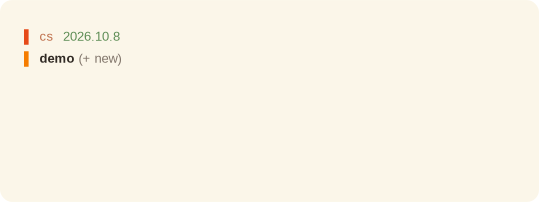

The statusline guide covers the quiet default layout, the band and the capsules, colors, thresholds, font setup, and agent rows.
Features
| Feature | What it does | Details |
|---|---|---|
| Session records | Keeps objectives, per-actor narratives, memory, plans, checkpoints, and a timeline in .cs/. | Session layout |
| Crash recovery | Saves edits to shadow git refs without adding normal branch commits. | Autosave hook |
| Conversation rotation | Hands work to a fresh conversation through /rotate and /clear. Past 40% context a rotate key and a wrap key show beside the permission notice under the prompt, or on the band above it where that row has no room. | Rotation and queue hooks |
| Existing projects | cs -adopt <name> registers your project without moving it. | Adoption |
| Parallel worktrees | cs <base>@<feature> gives each feature its own checkout and session records, and copies the ignored files a .worktreeinclude names into it. | Worktrees |
| Remote control | cs <name> --remote serves a session for the Claude app or web. | Remote control |
| Resume launch | cs <name> --resume resumes without asking, or starts fresh with no recorded conversation. | Launch answers |
| Task queue | Runs confirmed tasks at turn boundaries, with failure, context, and quota breakers. | Queue behavior |
| Cross-session mail | Delivers local messages and wakes idle sessions for unread arrivals. | Mail wakes |
| Secrets | Uses the macOS keychain or encrypted files, with signed age exports for sync. | Secrets guide |
| Encrypted sessions | Keeps notes, transcripts, plans, and private state in a vault on macOS. | Encrypted sessions |
| Statusline | Shows session, git, model, context, queue, mail, and rate limits. | Statusline guide |
| Prompt rail | With the cs setting CS_BAND_PROMPTS on (in /cs, or cs -config set CS_BAND_PROMPTS 1), the band above the prompt draws a bar per prompt. A press on a bar, or /cs next, prev, first, last or a prompt number, scrolls the transcript to that prompt. After /cs , typing a word lists the prompts whose first line holds it. | cs mod band |
| Prompt grounding | Adds matching files, recent commits, changes, and clarification guidance to code-work prompts. | Scope hook |
| Prompt rewriting | Ctrl+G rewrites a draft in the composer for you to review before sending. | Prompt rewriter |
| Writing skills | Judges prose or drafts from a writing profile. | Skills |
| Session wrap | /wrap saves memory, summarizes the narrative, and archives completed tasks without committing. Its memory pass first lists where the session struggled and files one task per fix, applying none. It also finds references to paths, cs verbs and identifiers that no longer exist, and updates them or marks them gone. | Memory checks |
| Inline Mermaid | Draws supported flowcharts in replies, and a show-me skill answers "show me" with one. | Mermaid mod |
| Inline images | Draws standalone  lines in replies as real pixels or coloured blocks. A bundled show-image skill supplies the syntax and answers "show me in pictures" with a mermaid diagram and one image: a file on disk that shows the point, or else a generated one. | Images mod |
| Filter chat | While on, the chat shows what you type and what Claude answers, and nothing of the work between them. Off by default; /filter-chat or the cs mod's filter chat key switches it for that session. | Filter chat mod |
| Release notes | A launch from your terminal offers a pending release once. In the session, /cs-update shows its release notes. | Update mod |
| Settings | cs -config set <KEY> <value> keeps a cs setting in ~/.config/cs/config, or in one session's own file, where every cs command, hook and status line repaint reads it. | Settings file |
| Settings pane | /cs opens a pane of cs's settings, its mods' /config rows and its own CS_* settings under a filter field, says what the selected one does at its foot, and changes one with Enter: on this machine, or for this session only. Its reset all… control removes every override from this machine's or this session's file. | Panel mod |
| Other front ends | Session hooks also work in desktop and IDE conversations opened in a .cs/ workspace. | Session resolution |
Uninstall
cs -uninstall
Documentation
| Guide | Contents |
|---|---|
| Commands | Command reference, adoption, worktrees, queues, remote control, and completion. |
| Configuration | Every environment variable cs reads, the settings file that keeps them, and the values cs exports. |
| Session layout | Shared and local records, encryption, and merge policy. |
| Hooks | Hook behavior, prompt rewriting, and Claude Code mods. |
| Secrets | Storage backends, backups, and signed sync files. |
| Statusline | Segments, the quiet, band and capsule layouts, colors, thresholds, and agent rows. |
| Rejected designs | Designs cs rejected or declined, each with its reason and date. |
License
MIT. Contributions can start with an issue or pull request.

