
Gitgraph
Git Graph for Claude Code. Visualize commit history, create and checkout branches, and manage Git Flow with feature, release, and hotfix branches.
claude plugin validate to auditGuide →Writes files, executes local shell processes, or programmatically drives Claude.
Statically scanned from hooks & source. Learn how to audit

Claude Code Git Graph
Your repository's history beside the chat: a commit graph pane for Claude Code, inspired by the Git Graph extension for VS Code



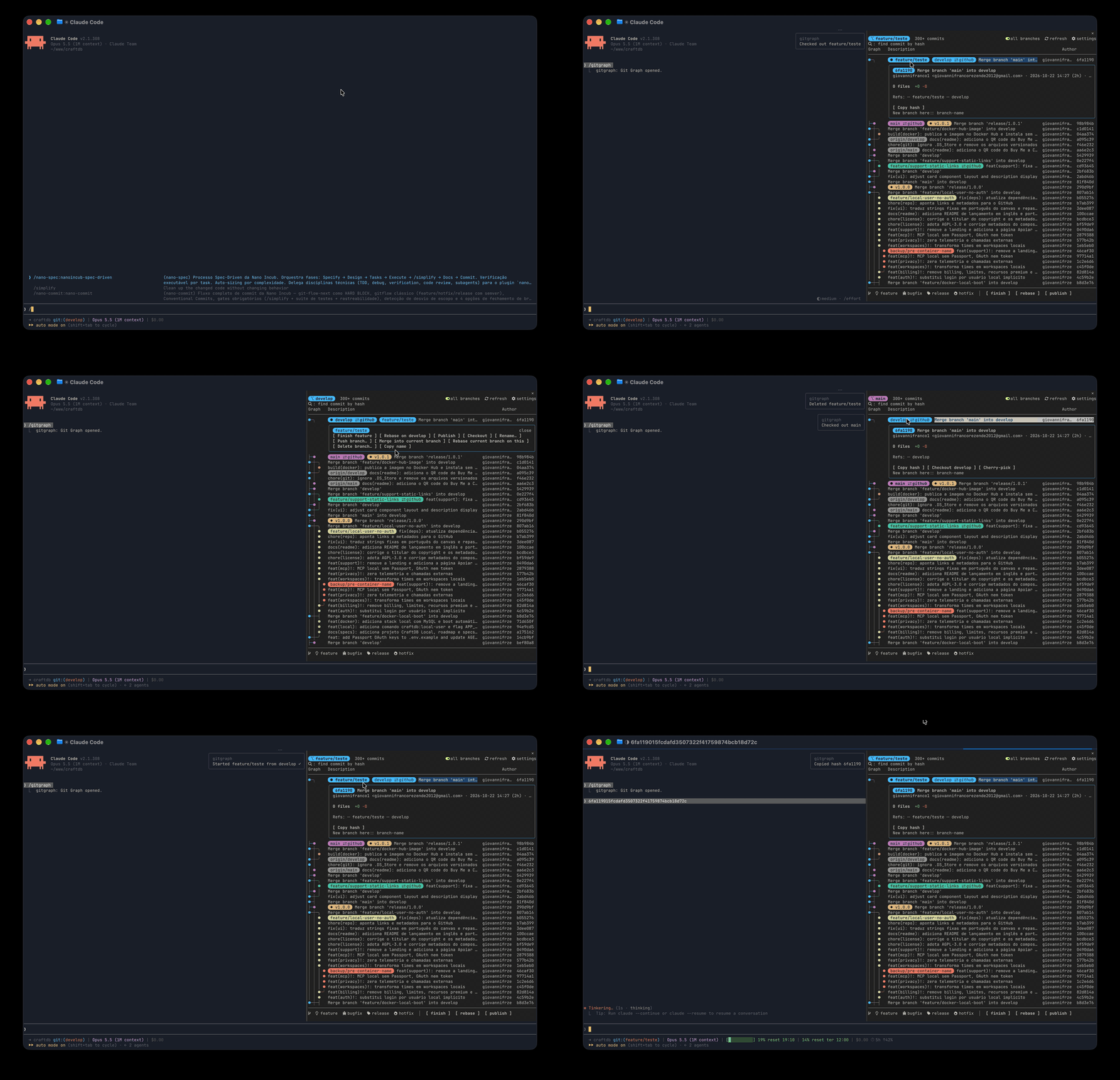
[!NOTE] gitgraph is a Claude Code mod and is built and tested on Claude Code 2.1.308. It shows in the right sidebar, which in the terminal needs the fullscreen layout (
/tui fullscreen) and a terminal at least 110 columns wide; the Desktop app docks it on its own. Rounded badges and the toolbar icons use a Nerd Font when one is installed, with a plain fallback.
Installation
The repo is its own plugin marketplace. Inside a Claude Code session:
/plugin install gitgraph --marketplace giovannifranco1/claude-code-gitgraph
Or from the terminal:
claude plugin marketplace add giovannifranco1/claude-code-gitgraph
claude plugin install gitgraph@claude-code-gitgraph
Then open the pane with:
/gitgraph
Features
-
The commit graph of the session's repository, one row per commit: a colored lane per line of history, merges (
─╮), forks (─╯) and crossings drawn the way the VS Code extension does, and anUncommitted changesrow on top while the working tree is dirty -
Ref badges in the color of their lane, drawn in segments: a branch and its remotes in one badge, the remotes on a darker shade of its color (
[develop][origin github]), with how far the branch is ahead of and behind its upstream ([feat][origin ↑2 ↓1]); a remote branch on another commit in that darker shade; the checked-out branch in bold with a check before its name; tags in the color ofmain, with a tag icon segment before the version; a dead branch (merged intomain/develop, or deleted here) gray with a ghost. Up to two branch badges per commit, tags apart, the rest counted as+N; the first may fill the Description column before its name is cut -
All branches or just HEAD with the switch in the header, and Load more past 300 commits
-
Several repositories: when the session folder holds more than one repo (or is no repo but has repos inside, up to three levels down), a
repo:dropdown at the start of the header picks the one the graph and every action use; each option shows, in a right column, the branch that repo is on ([develop])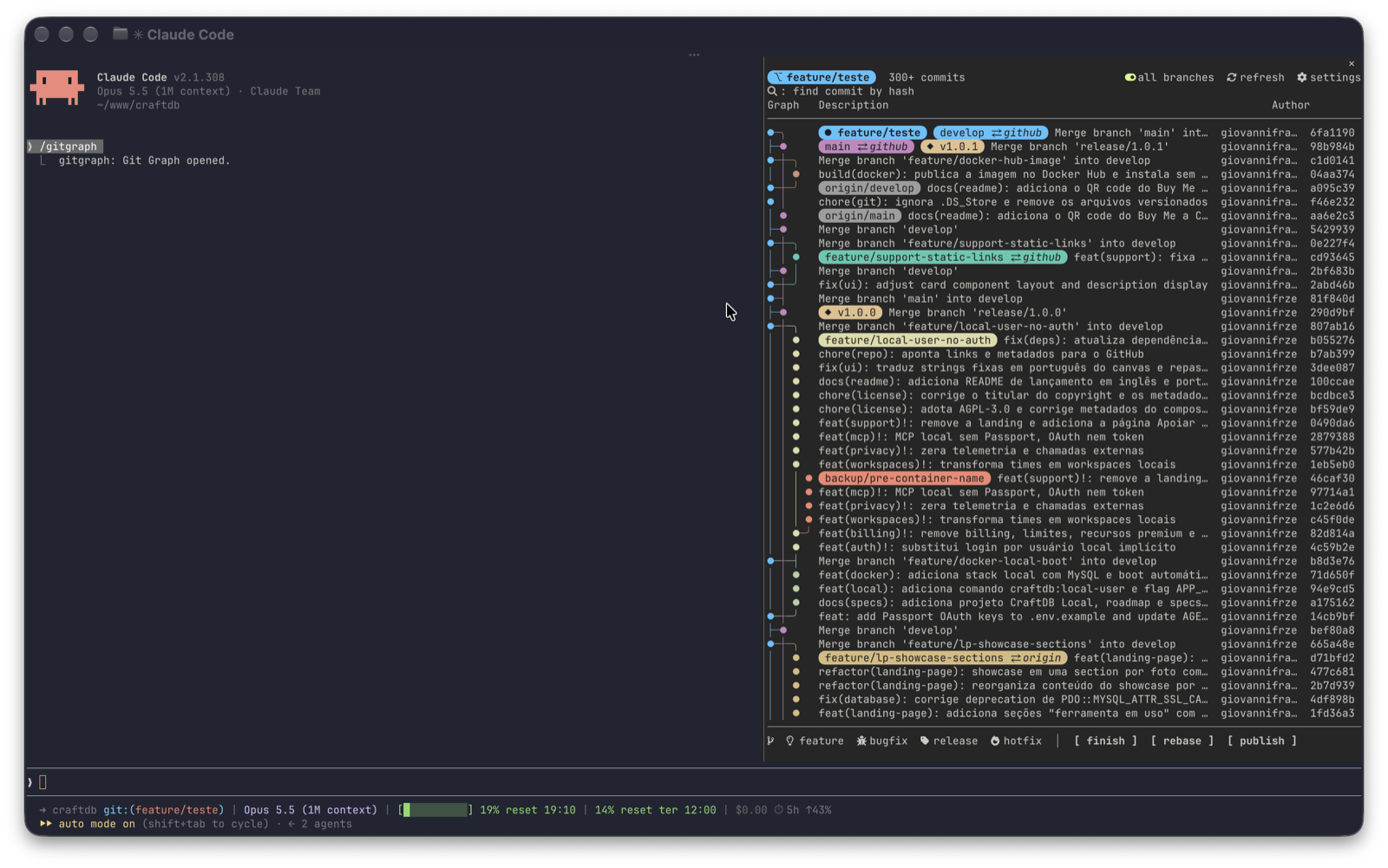
-
Click a commit's text to open its details: author, date, full message and every changed file with a diffstat bar. The ⋯ icon on its first row opens its actions: copy its hash, check it out, cherry-pick it or reset the current branch to it (soft); below, create a branch on it. A soft reset moves the branch there and its changes stay staged: the branch moves there and its changes stay staged. As in the VS Code extension, a commit left behind stays in the graph while a ref keeps it (the branch you pushed,
origin/…), so you can reset back to it -
Click the Uncommitted changes row to commit or stash them, in a dialog of their own (in the docked terminal pane). Commit message commits every change, new files too (
git add -A, thengit commit); ✨ suggest a message has Claude (haiku) read the diff and the recent commits and write one in their style into the field, to review and edit before you press commit. Below, an optional message and stash rungit stash push --include-untracked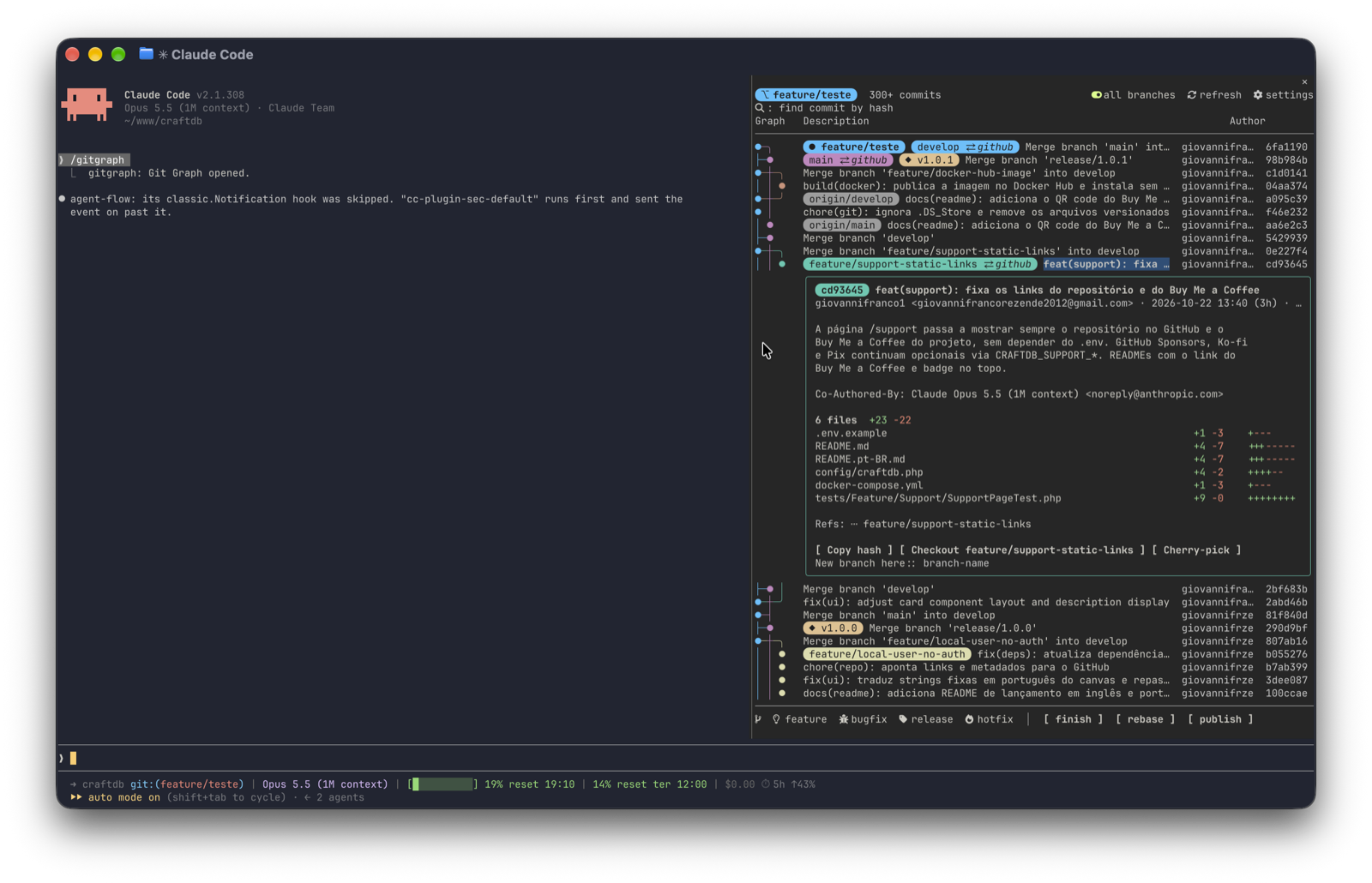
-
Click a badge for its ref's menu, a list in groups (a right click works too; where clicks do not reach the pane, open a commit and use its Branch actions buttons):
- Local branch: checkout, push branch, merge into the current branch, rebase the current branch on it, rename, copy name, delete branch (with an optional
force, off by default) - Remote branch: checkout as a new tracking branch, fetch, merge, copy name, delete on the remote
- Tag: push, copy name, delete
- Double-click a badge to check it out
- Local branch: checkout, push branch, merge into the current branch, rebase the current branch on it, rename, copy name, delete branch (with an optional
-
Dialogs: in the docked terminal pane, menus, a commit's actions, push, delete, rename and every Git Flow action open in a dialog floating over the graph; the dialog's button runs at once,
cancelorcloseruns nothing -
Push to the remotes you pick: Push branch opens a choice of remotes, starting with the ones the branch tracks, plus
all. A push to several remotes runs one push each and reports every failure by its remote -
Safe actions: destructive ones ask for a second press (or run from their dialog's button); a spinner shows what git is doing and further presses wait for it; push and fetch never hang on a password prompt
-
Find a commit by hash, message or author from the search icon: the pane selects it and scrolls to it. With several matches the field keeps the term and says
Match 2/5; find again for the next one, in a loop -
Git Flow with git-flow-next, from the footer:
Git Flow · feature/login · from develop · ↑2 ↓1 originsays where the branch came from and how it stands with its upstream (ornot published), and opens the Git Flow dialog, a row per type:- Start a feature, bugfix, release or hotfix from the base your git flow config gives it; a release or hotfix name comes filled in with the next version after your highest tag
- On a work branch: finish (switches for
no-ff, push afterwards and keep branch, all on by default; release and hotfix tags get an editable message, the version by default) and rebase (or merge, as your config says). To publish a branch, use Push branch - A finish or update that stops on a conflict offers Continue and Abort
- A work branch's badge menu has the same actions; repositories without git flow get Set up git flow…, a form for your own names (
master,dev,feat/,fix/…, prefilled from the branches the repo already has, plus an optional tag prefix), and Use defaults for the standard ones (main,develop,feature/,bugfix/,release/,hotfix/)
-
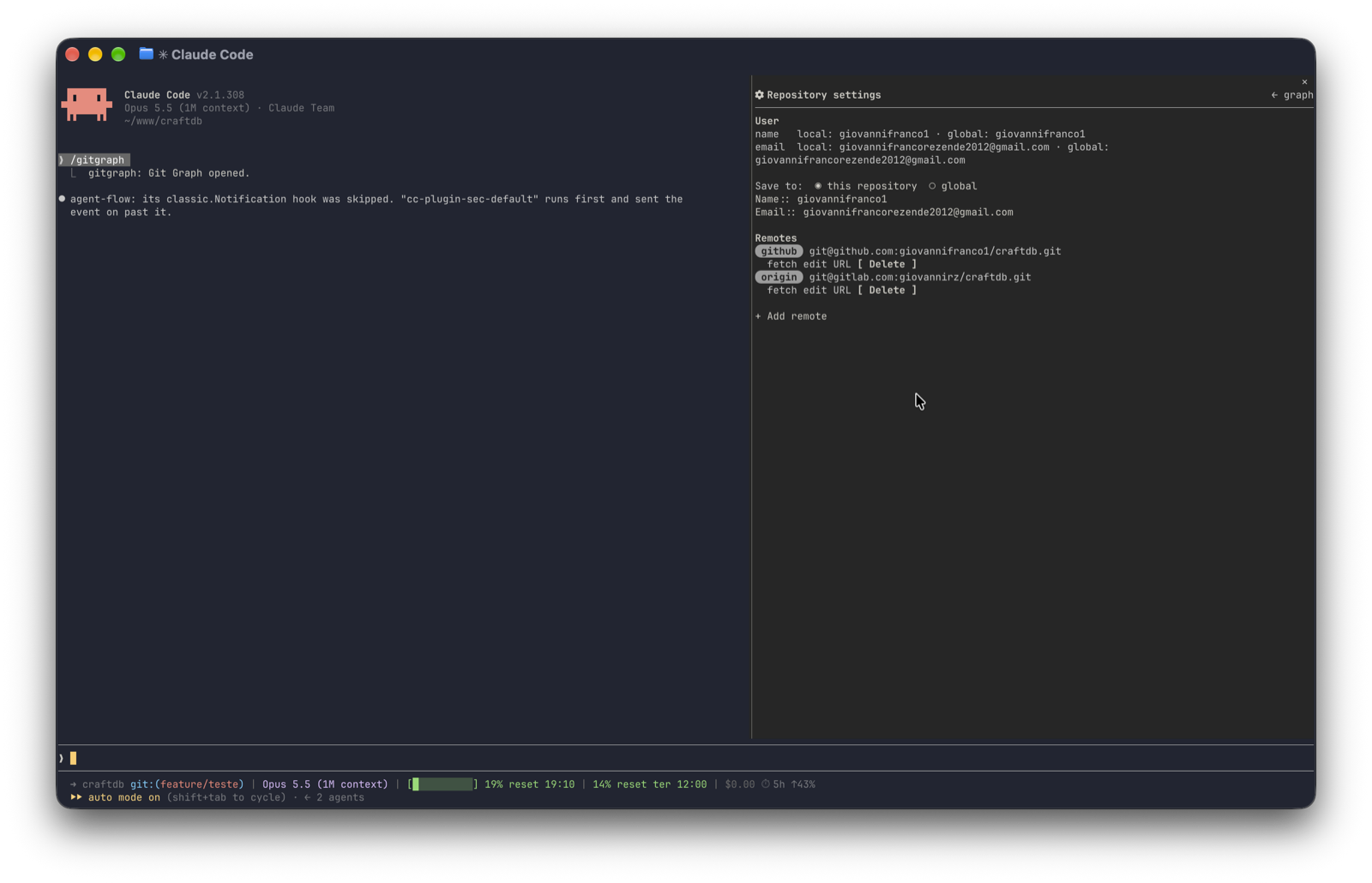
Settings: the list's columns (hide the author or the hash to give the graph and the description more room; for every repository, kept between sessions), user name and email for this repository or globally, the remotes (add, edit the URL, fetch, delete) and, where git flow is set up, its names with Reconfigure… to change them
-
Always current: after every Bash call Claude makes and every 5 seconds while the pane is open, gitgraph compares the repository's refs and status and reloads only when something changed. The header's icon buttons: search (magnifier) opens the search; settings (gear) opens the repository settings; changelog (☰) shows what changed in each version, yours marked; fetch (cloud) runs
git fetch --all(in a dialog while it runs, in the docked terminal pane) and redraws the graph with what the remotes brought; refresh reloads everything on screen and flashes✓ -
Light on big histories: only the rows on screen are drawn, so scrolling stays smooth with hundreds of commits; in the docked terminal pane gitgraph scrolls its own rows, so the header and footer hold still. The graph column is as wide as the rows on screen need
Settings
Settings are in /config under gitgraph.
- Badges:
auto(default) draws rounded badges when a Nerd Font is installed,roundalways does,squaredraws square badges. Picksquareif your terminal's font has no Nerd Font glyphs.
How it works
gitgraph runs the git already on your machine, in the session's working directory: git log, git status --porcelain=v2 and git for-each-ref to draw the graph, git show --numstat for a commit's details, and git flow (git-flow-next) for Git Flow, which reads the repository's gitflow.* config and git tag --list. Every git command is passed as a list of arguments, never through a shell, and names you type (branches, remotes, URLs) are validated before git sees them.
Besides git, gitgraph runs one command at session start and when the pane opens: sh -c 'ls <font folders> | grep -qi nerd', to tell whether a Nerd Font is installed for the rounded badges and icons; and, when the pane opens and on refresh, a find for .git folders up to four levels below the session folder (skipping node_modules, vendor, build output and hidden folders). Neither reads file contents or sends anything anywhere. The only network traffic is git's own, when you press push, fetch or a Git Flow finish: it goes to the remotes you configured, with GIT_TERMINAL_PROMPT=0 so it never asks for a password; git never opens an editor either (GIT_EDITOR=true). After a Git Flow finish with push on, it pushes the branches the finish merged into, with their tags, to your git flow remote (gitflow.origin, else origin, else the repository's first remote). Claude Code runs a mod's git with the repository's hooks off; for git flow gitgraph points the hooks at an empty folder it ships (nohooks/), so they stay off and git-flow-next, which fails on Claude Code's /dev/null hooks path, finds none. gitgraph keeps its view state in the Claude Code session only, and its column choice in its own Claude Code store.
Contributing
claude plugin validate .
claude plugin test .
tsc -p .
The graph layout, git output parsing, badges, menus and settings logic are plain functions in hooks/ with tests in tests/; hooks/register.tsx wires them to Claude Code. The specs it was built from are in .specs/.
License
Details
- Author
- @giovannifranco1
- GitHub Stars
- 11
- Sub-category
- Dashboards
- License
- MIT
- Added
- 1 months ago
- Last synced
- 2 days ago
Weekly Mods Digest
Top new Claude Code mods and install commands, once a week. No fluff, unsubscribe anytime.


