
Prompt-pulse
Live timeline of every Claude Code turn, drawn above the prompt: the main agent and each subagent as lanes on one time axis, with tools, MCP calls, skills and errors color-coded. Shows per-lane call counts, tokens in/out, the turn's cost and what's running now. Finished turns stay in the transcript, background agents are tracked until they end. Toggle with /pulse. For anyone running subagents or MCP-heavy workflows.
claude plugin validate to auditGuide →Reads local project files, settings, transcripts, or environment variables.
Statically scanned from hooks & source. Learn how to audit
 prompt-pulse
A live timeline of every turn above the prompt, as a Claude Code mod:
the main agent and each subagent on one time axis, color-coded, with tokens and cost.











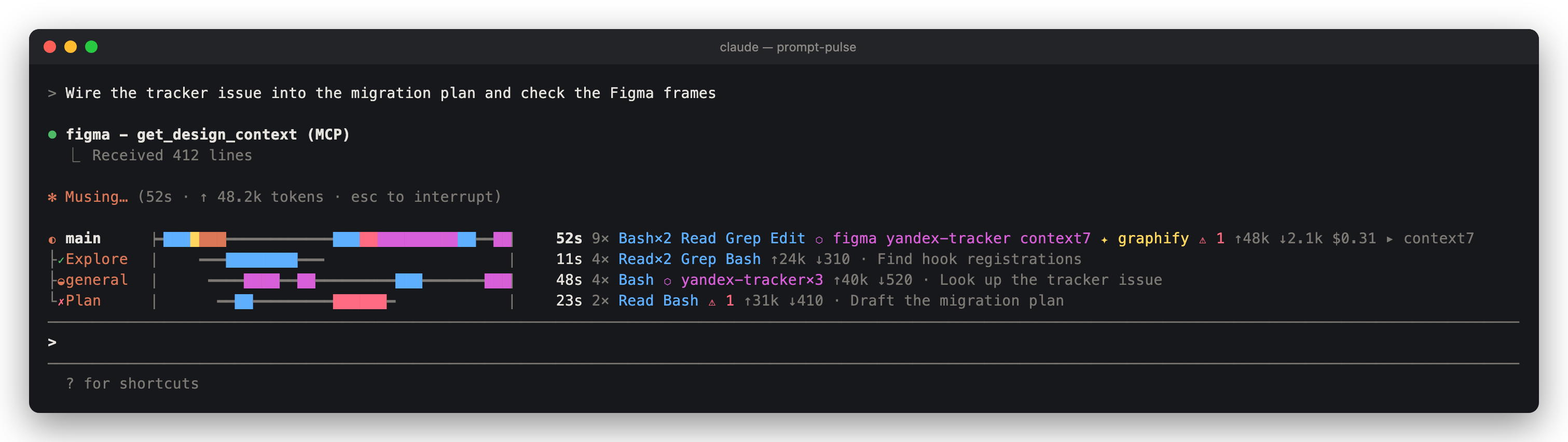
What you see
The live band
While a turn runs, a band sits above the prompt box. One lane per agent: main first, then each subagent as a tree under it.
| Part | Means |
|---|---|
◐ ◓ ◑ ◒ | still running (spins once a second) |
✓ / ✗ | finished / failed or interrupted |
main, Explore, general, Plan … | the lane: the main agent, or the subagent's type |
▕██━━██▏ | the timeline, oldest on the left (see colors below) |
52s | how long the lane has run (real time, not the bar's scale) |
9× | tool calls in the lane (engine plumbing like ToolSearch is not counted) |
Bash×2 Read Grep | built-in tools, by name, most used first |
⬡ figma yandex-tracker | MCP servers the lane called |
✦ graphify | skills the lane loaded |
⚠ 1 | calls that failed or were denied |
↑48k ↓2.1k | tokens in (cache reads and writes included) / out |
$0.31 | what this turn has cost so far (main lane only) |
▸ context7 | the call the main agent is waiting on now |
· Find hook registrations | the subagent's task, as it was launched |
Bar colors:
| Color | Means |
|---|---|
| 🟦 blue | built-in tool (Bash, Read, Edit …) |
| 🟪 magenta | MCP tool |
| 🟨 yellow | skill |
| 🟧 orange | launching a subagent |
| 🟥 red | a call that failed |
━ dim | the lane is alive but thinking, no call open |
| blank | the lane had not started yet, or had already ended |
Where several things happen in one cell, the one that matters more wins: error, then MCP, skill, agent launch, tool.
History in the transcript
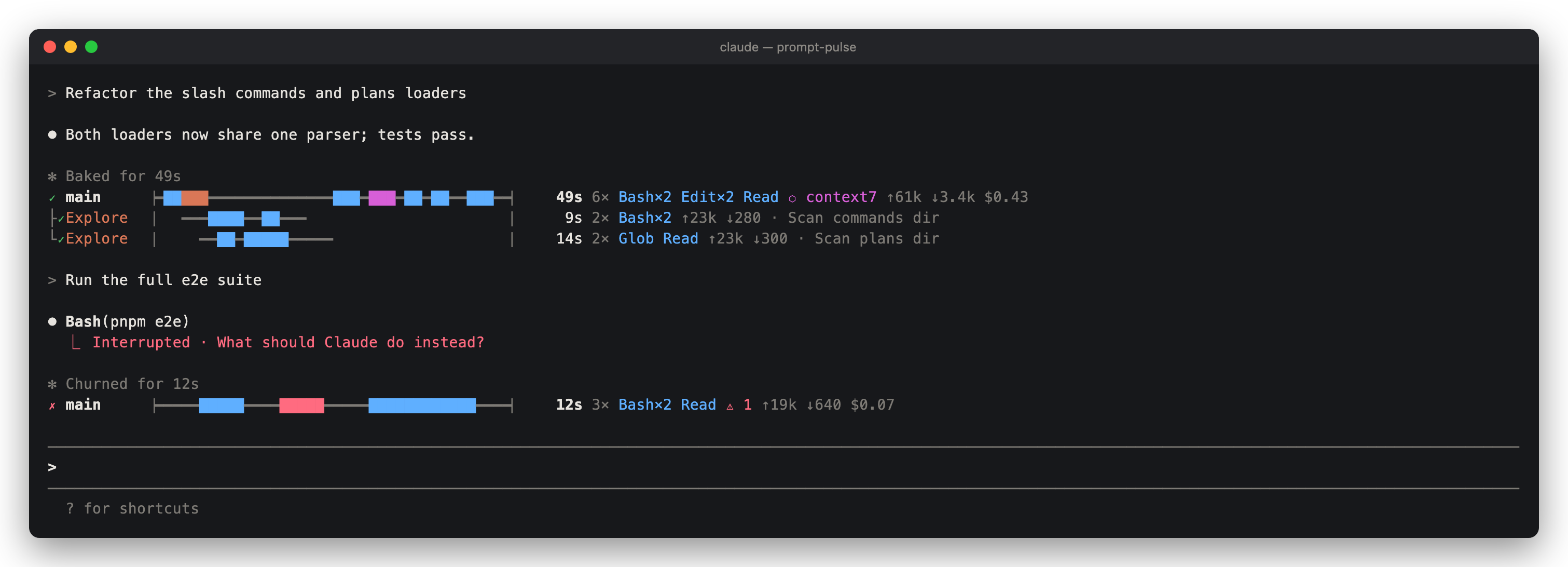
When a turn ends, its timeline is kept under the turn's closing line (✻ Baked for 49s), so you can scroll back and see how any earlier turn went: which agents ran, what failed, what it cost. An interrupted turn shows ✗.
Background agents
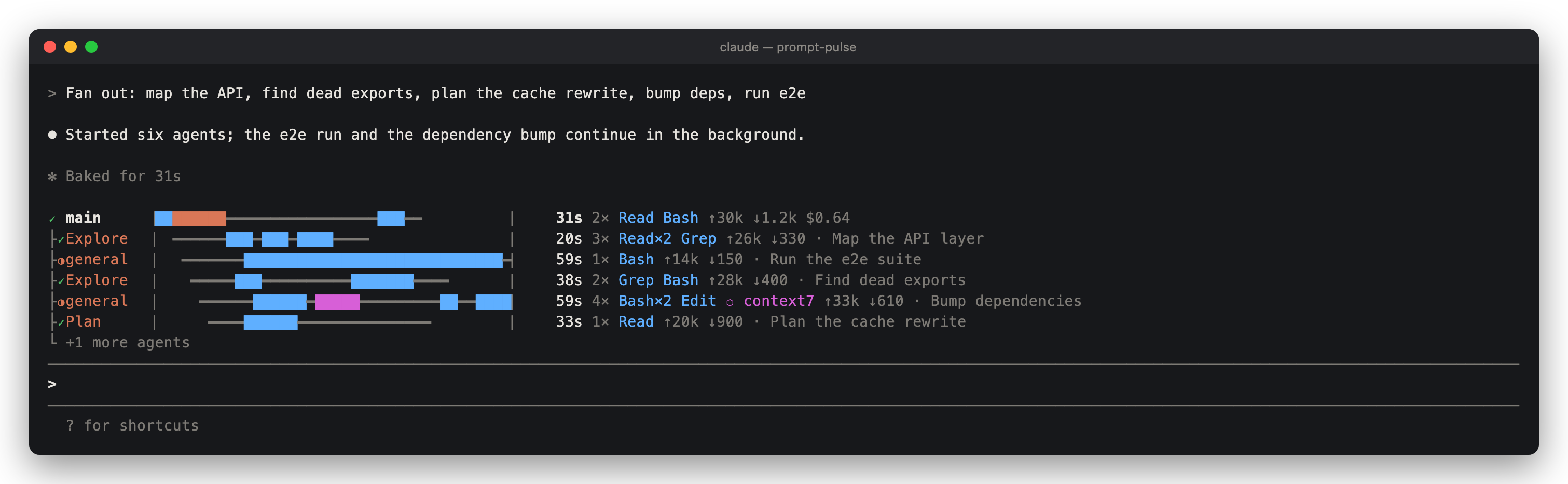
Agents sent to the background outlive the turn that started them. The band stays above the prompt until the last of them finishes, with the main lane already settled and the rest still spinning. Up to five agent lanes are shown; the rest are counted (+1 more agents).
A time axis that fits long waits
The bar is not linear. It is cut at every moment a call started or ended, and each piece is as wide as the logarithm of its length. A two-minute wait on a browser shrinks to a few cells, and a call that took a split second still gets a cell of its own, so nothing quick disappears next to something slow. Real durations are in the column on the right.

Install
At the prompt of a Claude Code terminal session:
/plugin install prompt-pulse --marketplace PressureKun/claude-prompt-pulse
Answer y to add the marketplace, then pick a scope (user scope loads it in every session). From a shell:
claude plugin install prompt-pulse --marketplace PressureKun/claude-prompt-pulse
In the desktop app: click + next to the prompt box, then Plugins, Add marketplace with PressureKun/claude-prompt-pulse, then Add plugin.
To update later: claude plugin update prompt-pulse, then /reload-plugins in a running session.
Commands
| Command | Does |
|---|---|
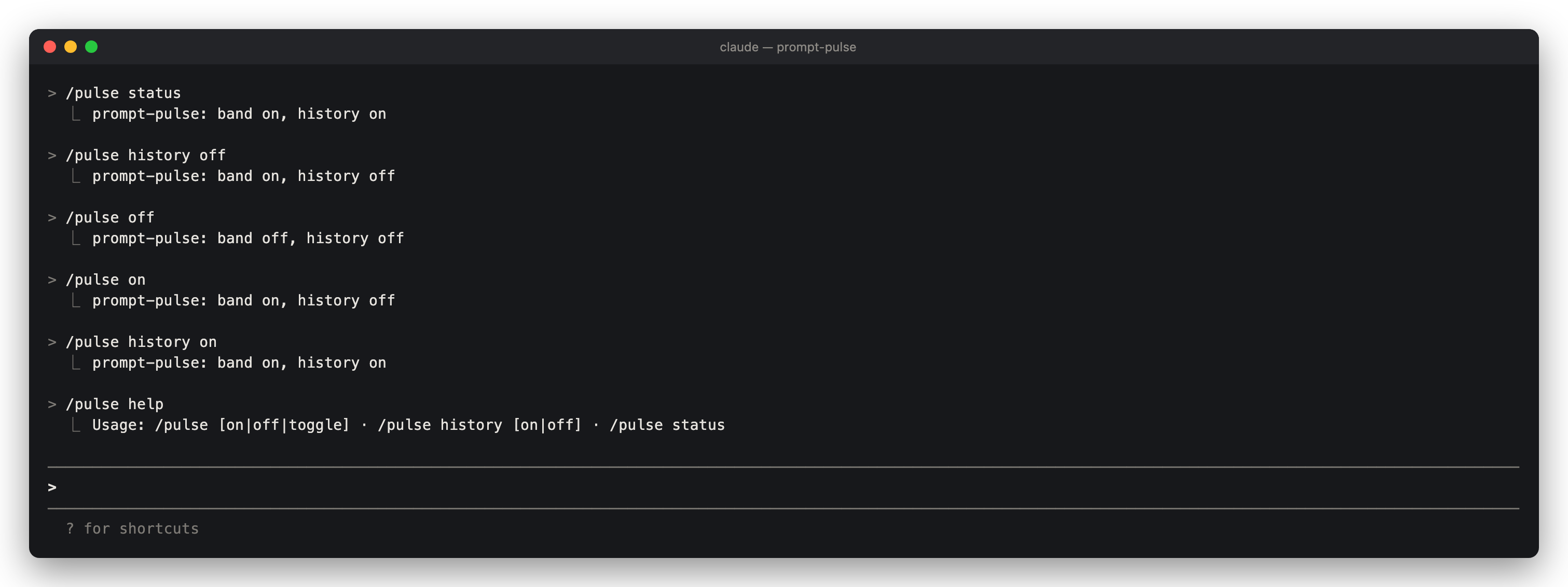
/pulse | toggle the live band above the prompt |
/pulse on / /pulse off | show / hide the live band |
/pulse history on / off | keep / drop the timeline under each turn in the transcript |
/pulse status | show the current settings |
Settings persist across sessions. The band can also be collapsed with ctrl+x ctrl+a.
With history off, the band keeps showing the last finished turn until the next one starts.
Develop
claude --plugin-dir ./           # run a session with the mod loaded
claude plugin validate ./
claude plugin test ./
The screenshots in docs/ are drawn by the mod itself: docs/screens/build.sh runs the scenes in docs/screens/scenes.tsx through claude plugin test, takes the trees the mod's Timeline returns, and renders them to PNG with headless Chrome (macOS). The prompt, the tool rows and the prompt box around each timeline are context added by the renderer.
License
MIT
Details
- Author
- @PressureKun
- GitHub Stars
- 2
- Sub-category
- Dashboards
- License
- MIT
- Surfaces
- terminal
- Added
- 1 months ago
- Last synced
- today
Weekly Mods Digest
Top new Claude Code mods and install commands, once a week. No fluff, unsubscribe anytime.

