
Quality of life Upgrades
Small add-ons that make Claude Code nicer to use and help newcomers get good at it faster. Each one fixes a small piece or builds a good habit.
claude plugin validate to auditGuide →Writes files, executes local shell processes, or programmatically drives Claude.
Statically scanned from hooks & source. Learn how to audit
qol-mods
Quality-of-life mods for Claude Code.
Add-ons that make Claude Code better to use. Each one adds something the built-in experience doesn't give you.



Mods
| Mod | What it does | |
|---|---|---|
| games new | A quick game while Claude works: /games opens Tetris, Snake, Wordle, 2048 and nine more in a side pane, with milestones and your progress saved | Website |
| worklog | What you did, day by day, across every repo, by PR and branch with the time spent: /standup for the meeting, /worklog for any day or a week's timesheet | Website |
| coach | A weekly coach built from your own sessions: one habit at a time, tips at your level, CLAUDE.md lines and skills worth making | Website |
| repo-spend | A live bar above the prompt with what the repo has cost you: running total, today, the last 7 days, and this session's burn rate | Website |
More are on the way. Each mod's README has the full details.
games
Claude's working. Play a quick game. /games opens a pane beside the conversation with thirteen games you already know: Snake, Tetris, Breakout, Dino Run and Pong; 2048, Minesweeper, Lights Out and Memory; Connect Four and Tic-tac-toe against a bot; Wordle and Hangman. There are 83 milestones to chase, your bests and half-finished games are saved between sessions, and an arcade game pauses itself when you type in the prompt or Claude finishes a turn. Nothing leaves your machine, and no game calls a model.
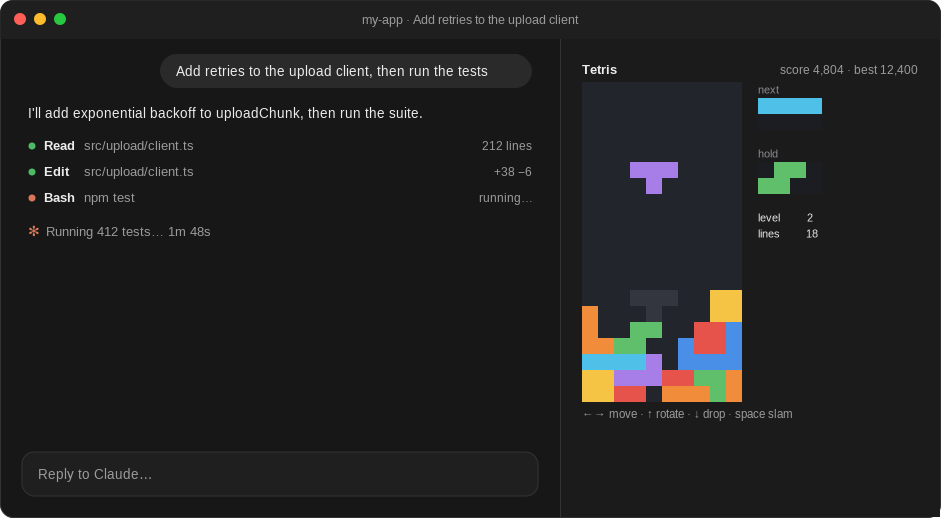
In the Claude desktop app, while Claude works
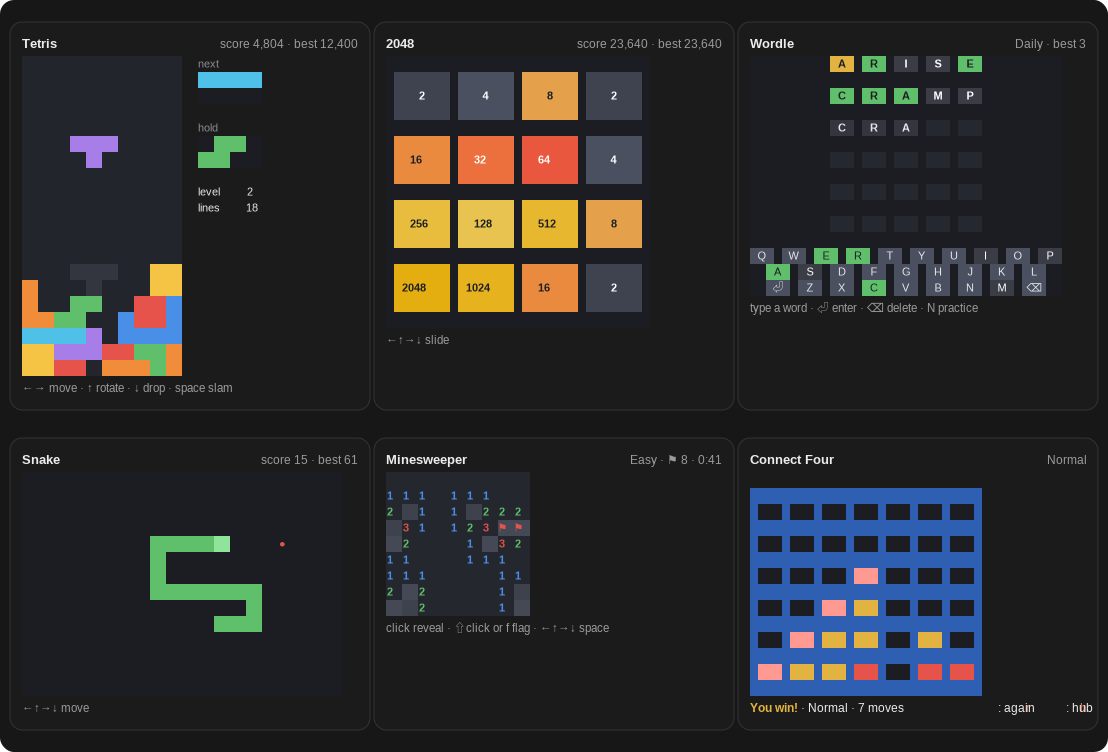
Six of the thirteen, as the pane draws them
/plugin install games --marketplace aseem-upadhyay/qol-mods
worklog
What did I do yesterday? worklog reads the sessions you've already had and your repos' git, and lays out your work day by day: every repo, grouped by PR and branch, with the time spent, what each was, and its commits, files and test runs. /standup covers the last work day (Monday covers Friday and the weekend), /worklog shows any day with a timeline of when you worked, and /worklog week makes the week's timesheet, rounded to 15 minutes, to copy or save as CSV.
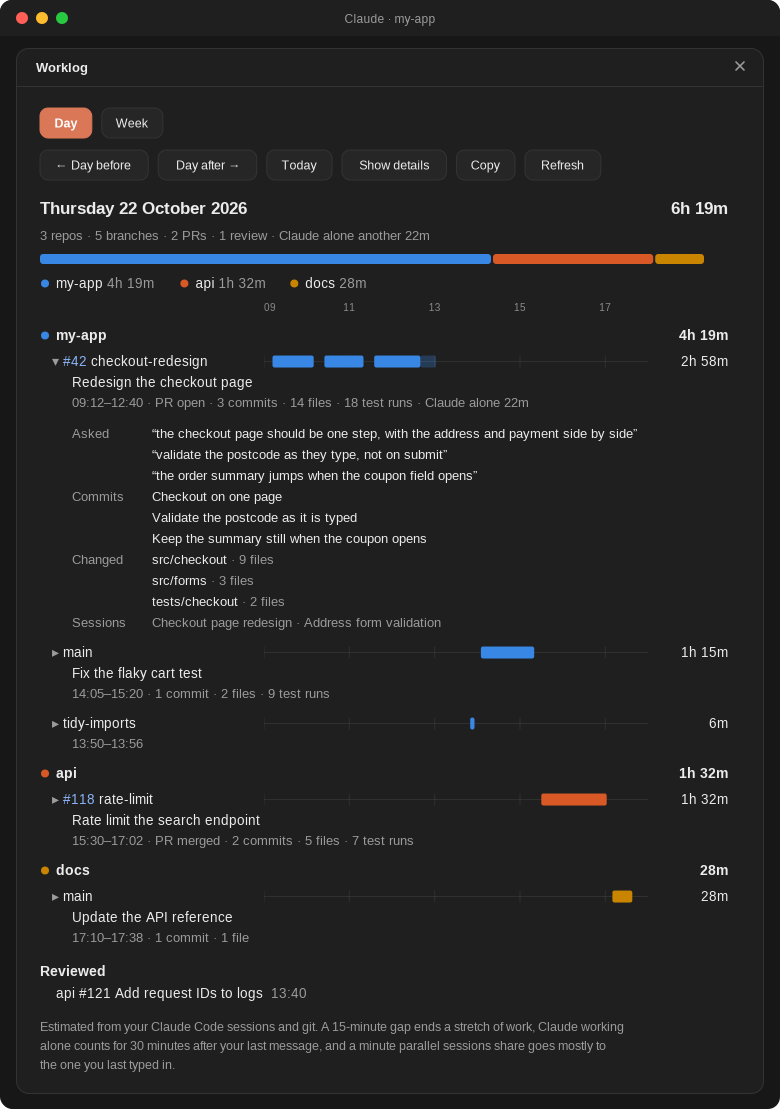
/worklog in the Claude desktop app
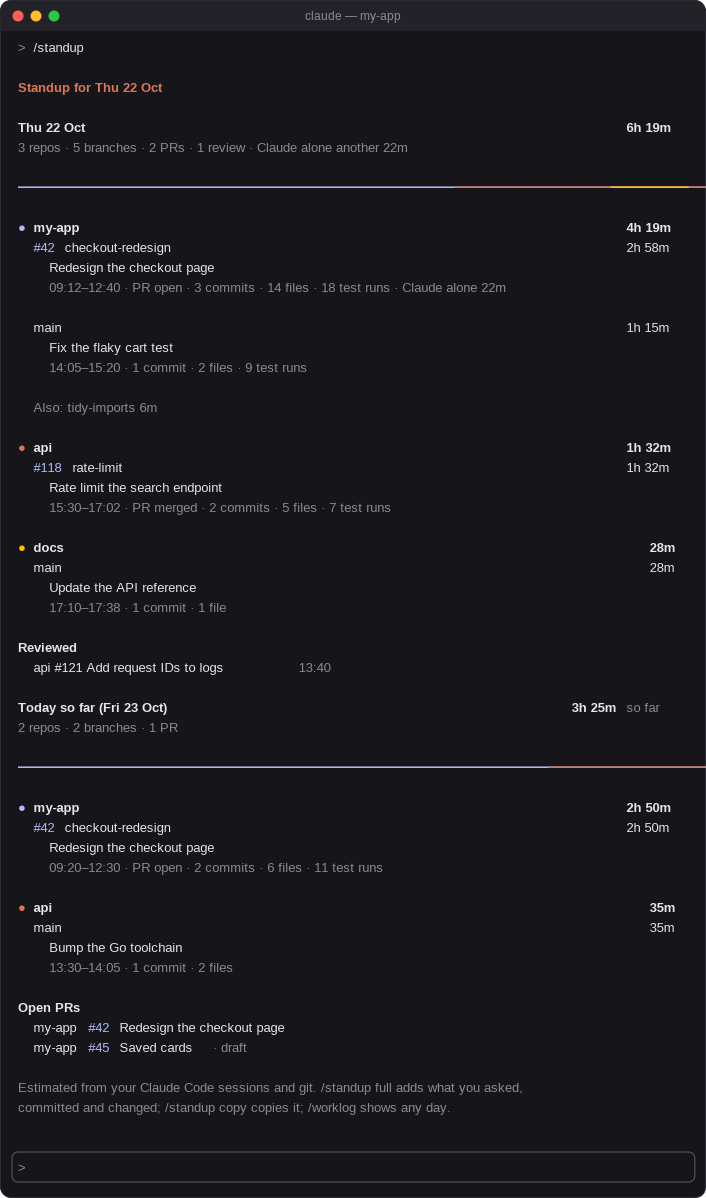
/standup in the terminal
/plugin install worklog --marketplace aseem-upadhyay/qol-mods
coach
How well are you using Claude Code, and what's the one thing to get better at next? coach reads the sessions you've already had and picks the habit that would help you most, shows you the session it came from, and tracks how you're doing week by week. It also suggests CLAUDE.md lines for what Claude keeps rediscovering, and skills for prompts you keep typing.
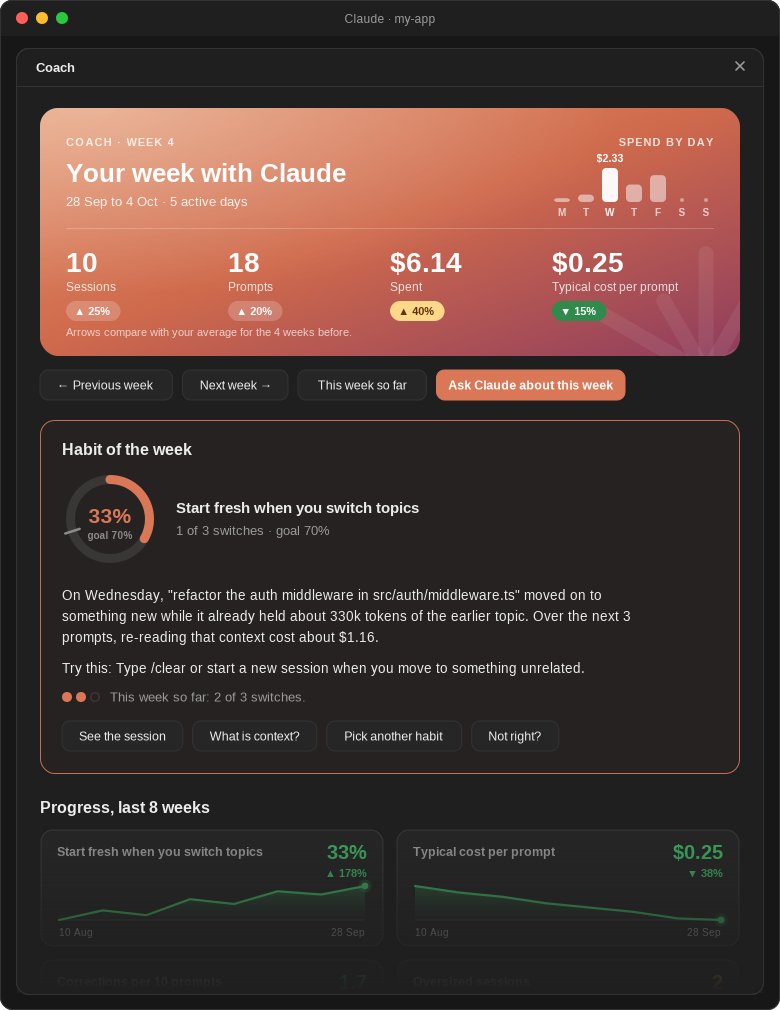
The weekly report in the Claude desktop app
/plugin install coach --marketplace aseem-upadhyay/qol-mods
repo-spend
How much have you burned on this repo, and how much value are you getting from your plan? A live bar above the prompt shows the repo's total over the time your logs cover ("last 3 months"), today, the last 7 days, and this session's cost and burn rate. On an API key that's the credits you've spent; on Pro or Max, what your usage would have cost at API prices.
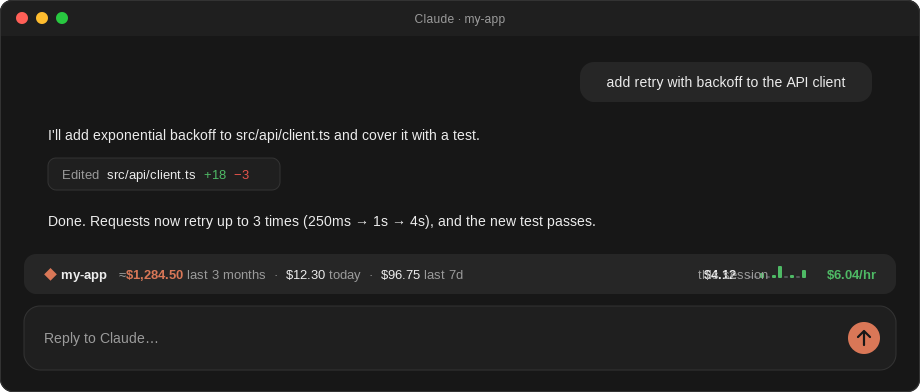
The bar in the Claude desktop app
/plugin install repo-spend --marketplace aseem-upadhyay/qol-mods
Install
Every mod installs the same way. Type this at the prompt of a Claude Code terminal session, replacing <mod> with the mod's name:
/plugin install <mod> --marketplace aseem-upadhyay/qol-mods
Answer y to add the marketplace (only the first time), then pick the user scope so the mod loads in every session. Installing from a terminal also makes the mod load in the desktop app's Code tab.
To pick up new versions:
claude plugin marketplace update qol-mods && claude plugin update <mod>@qol-mods
Then type /reload-plugins in any session that was already open.
Layout
.claude-plugin/marketplace.json   the catalogue: every mod in this repo
plugins/<mod>/                    one self-contained plugin per mod, with its own README
shared/                           code more than one mod uses; each keeps a copy (scripts/sync-shared.py)
scripts/                          helpers for maintaining the mods, such as drawing README images
docs/                             the website, qolmods.dev: a home page with a card per mod, and docs/<mod>/ for each mod's page
Adding or changing a mod
- Put the plugin in
plugins/<mod>/, with a.claude-plugin/plugin.jsonand a README, and list it in.claude-plugin/marketplace.json. - When it launches, add it to the table and a section under Mods, give it a card in
docs/index.htmland a page atdocs/<mod>/index.html(copy an existing one), put its images indocs/assets/<mod>/, and list the page indocs/sitemap.xml. - Raise
versionin itsplugin.jsonwith every change. Installed copies are cached by version, so a change under the same version never reaches anyone, including your own desktop sessions. - Check it, then commit:
claude plugin validate . && claude plugin validate plugins/<mod> && claude plugin test plugins/<mod>
License
Details
- Author
- @aseem-upadhyay
- GitHub Stars
- 1
- Sub-category
- Interface
- License
- MIT
- Surfaces
- terminal
- Added
- 1 months ago
- Last synced
- 3 days ago
- Events hooked
session.startsession.endcommand.runui.rendertool.callprompt.submit
Weekly Mods Digest
Top new Claude Code mods and install commands, once a week. No fluff, unsubscribe anytime.


