
Suggest
Clickable suggested replies for Claude Code. When Claude finishes a reply, the answers you'd most likely give show as buttons under it. Click one to send it.
claude plugin validate to auditGuide →Writes files, executes local shell processes, or programmatically drives Claude.
Statically scanned from hooks & source. Learn how to audit
Claude Suggest
Clickable suggested replies for Claude Code.
When Claude finishes a reply, the answers you'd most likely give show as buttons under it. Click one to send it.





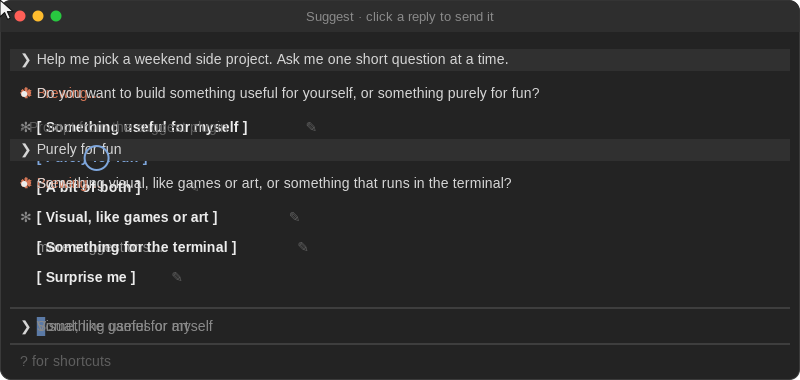
Watch a real recording
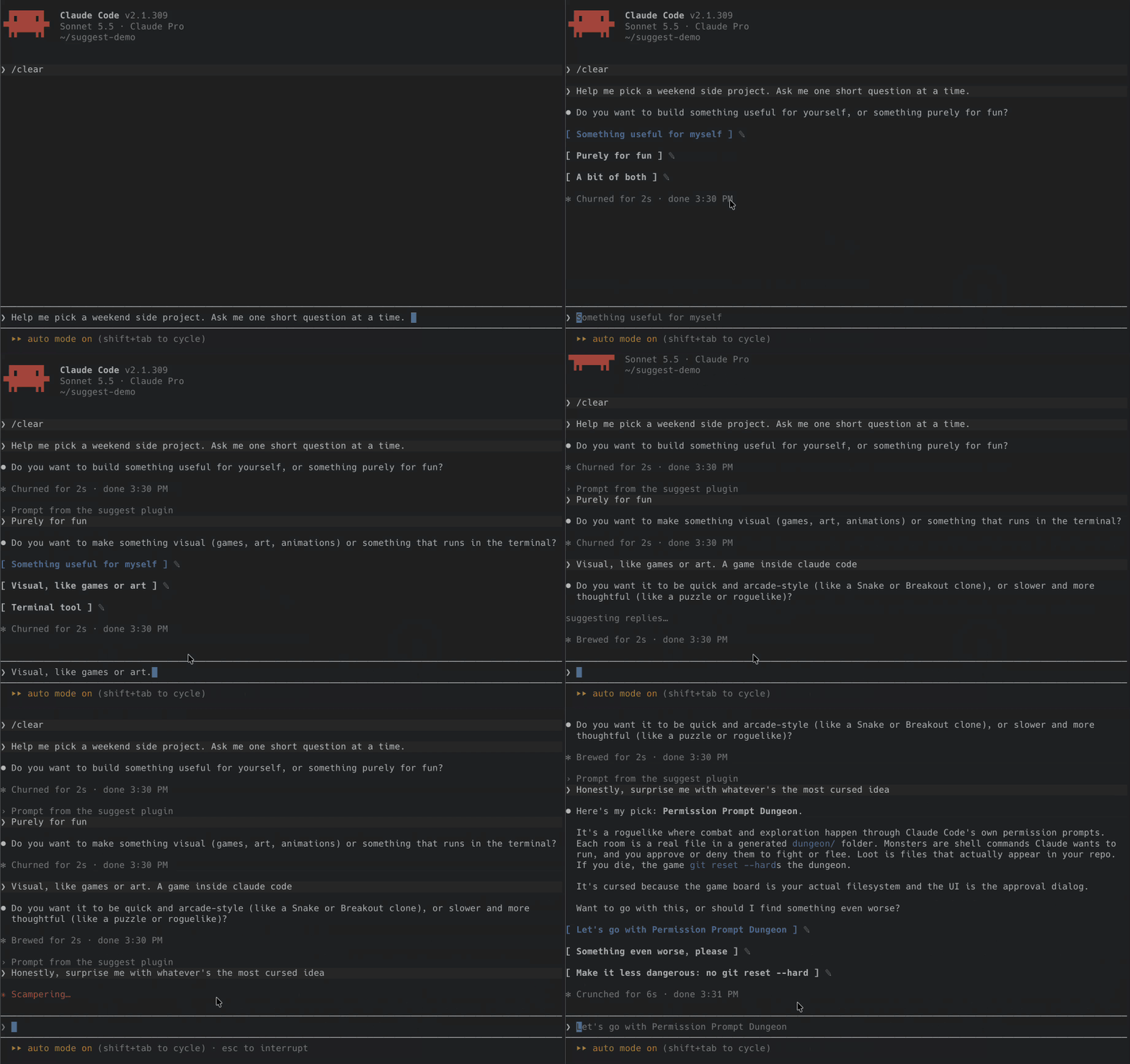
Why
Most of what you type to Claude between turns is short and predictable: "yes, go ahead", "run the tests", "option 2", /compact. Claude Code already shows one grey guess in the prompt, which Tab accepts. Suggest is a mod that turns that guess, plus a couple more, into buttons under Claude's last message, so answering takes one click.
Install
Needs Claude Code 2.1.287 or later, the release that brought mods; tested on 2.1.309. Mods are early access: their API may change between releases.
/plugin marketplace add dophamine/claude-suggest
/plugin install suggest@claude-suggest
From a terminal instead
claude plugin marketplace add dophamine/claude-suggest
claude plugin install suggest@claude-suggest
If a session is already open, run /reload-plugins in it.
The buttons show in the terminal and in the Desktop app's Code tab. Under Remote Control they show in the terminal on your machine, not in claude.ai or the mobile app.
How it works
- It remembers the last few messages. It keeps the 8 most recent messages in total, your prompts and Claude's final answers counted together. In a normal back-and-forth that is about 4 of each. A message longer than 2,500 characters keeps only its last 2,500. Subagent replies, task notifications, scheduled prompts and messages from other sessions are left out. This lives in the session's memory only and is never written to disk.
- Claude finishes a turn. The first button is Claude Code's own grey prompt suggestion, the one Tab accepts, marked with a faint
✻. It comes from Claude Code itself and costs nothing extra. If it arrives after the model's buttons are already showing, it still moves to the top. - It decides whether to ask a model for more. In
smartmode (the default) it does so only when the end of Claude's reply asks something or offers something: a?, or phrases like "should I", "want me to", "would you like", "let me know". Inautomode it asks after every reply, inmanualmode never on its own. - A small model writes the rest. Claude Haiku (by default, at low effort) reads the recent messages, newest first, up to 6,000 characters, and returns up to 3 replies written as you would write them. Claude Code's own suggestion goes first and the list is cut to 3, so when Claude Code has none, or repeats one of the model's, every button is still filled. When the next reply isn't clear the model returns none, and you keep the one free button. While it works, a dim "more suggestions…" line shows. It runs in the background, so the session never waits for it.
- The replies are cleaned up. "Run
/compact" becomes the bare/compact, so clicking it runs it. Duplicates, including ones that differ only in case or punctuation, and bare numbers are dropped. If Claude Code had no grey suggestion of its own, the model's first reply becomes that grey suggestion, so Tab accepts it too. - You click. A plain reply is sent as your next prompt. A slash command is run, and one that doesn't exist is put in the input instead. A
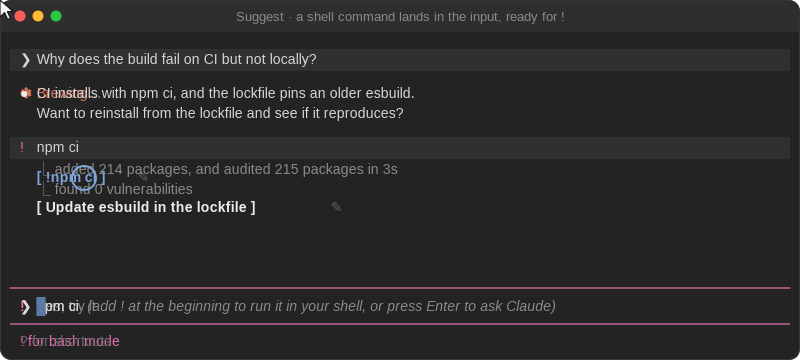
!shell command is put in the input without its!, with a dim tip: add!at the beginning to run it in your shell, or press Enter to ask Claude. Type!first and then click, and it goes straight into the shell prompt, so Enter runs it. The dim✎next to a reply puts it in the input to edit before you press Enter. - The buttons go away as soon as you send any prompt, and a late model answer never lands on a newer reply.
Use
- Click a reply to send it, or
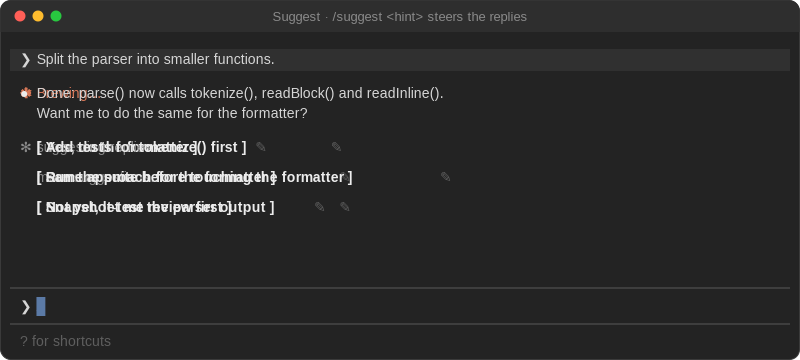
✎to edit it first. /suggestshows buttons under Claude's last reply now, in any mode. Nothing is sent to the session./suggest <hint>steers them, like/suggest shorteror/suggest about testing. All buttons then come from the model./suggest auto,/suggest smartor/suggest manualswitches the mode.
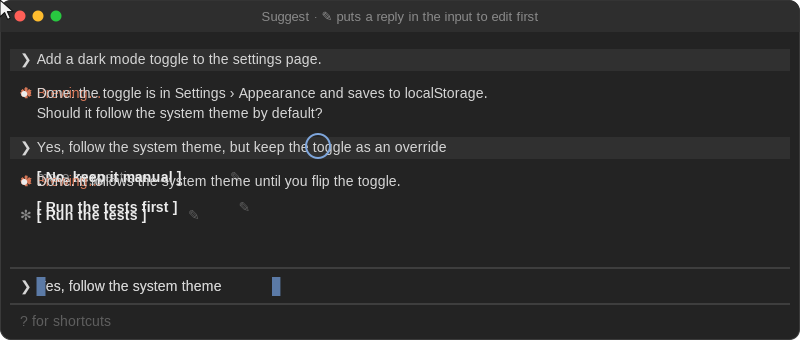
✎ puts a reply in the input, to edit before you send it.
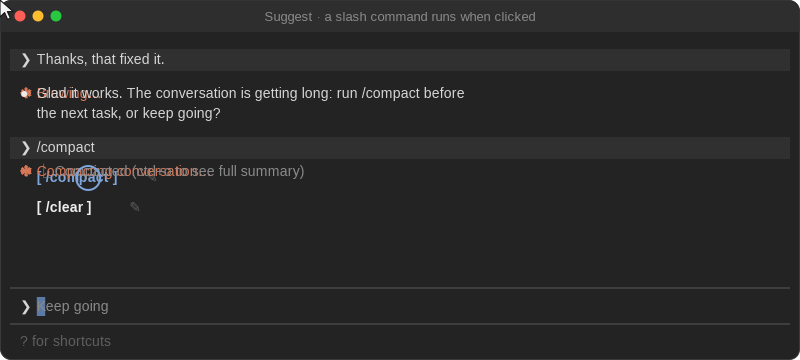
A slash command runs when clicked.
A shell command goes in the input, ready for !.
/suggest <hint> replaces the buttons with replies about the hint.
Settings
Change them in /config (rows starting with "Suggest ›"). The mod reloads with the new values, no restart needed. In the setup dialog after install, number fields start empty: leave them empty to keep the default.
| Setting | Default | What it does |
|---|---|---|
mode | smart | Claude Code's own suggestion always shows (free). auto: extra replies after every reply. smart: only when Claude asks or offers something. manual: only when you run /suggest. |
click | send | send: a click sends (✎ fills the input). fill: a click fills the input, nothing is sent until you press Enter. |
maxReplies | 3 | Buttons shown, 1 to 5. 1 keeps only Claude Code's own suggestion and makes no model call. |
model | haiku | Model for the extra replies: haiku, sonnet or opus |
effort | low | How hard that model thinks: low, medium, high, xhigh or max |
contextChars | 6000 | How much recent conversation the model reads, 500 to 50,000 |
messageChars | 2500 | Longer messages keep only their last part, 200 to 20,000 |
They're stored in ~/.claude/settings.json under pluginConfigs["suggest"].options.
Cost
Claude Code's own suggestion is free. Each extra set of replies is one small model call (Haiku at low effort by default) on your plan or API key. In smart mode that's only after replies that ask or offer something. Set mode to manual or maxReplies to 1 to make none.
Privacy and safety
To write the extra replies, Suggest sends the recent messages (up to contextChars, 6,000 characters by default) to the model you picked, through Claude Code's own model call, on the same account as your session. Nothing goes anywhere else: it makes no other network requests, starts no processes, and reads or writes no files. A click sends only the text on the button, or runs the slash command it names.
To check this yourself, run claude plugin validate on the folder: its calls: line lists everything the mod asks Claude Code to do.
Develop
git clone https://github.com/dophamine/claude-suggest
cd claude-suggest
claude plugin validate .
claude plugin test .
npx prettier@3.3.3 --write .
claude --plugin-dir .
The animated demos in assets/demo-*.svg are drawn by python3 scripts/demo-svgs.py. Edit the scenes there and run it again to update them.
Claude Code writes the type declarations to .claude-plugin/types/ when it loads the folder. Issues and pull requests are welcome.
License
MIT. Use it freely, adapt it to your workflow.
Star this repo if it helps.
Details
- Author
- @dophamine
- GitHub Stars
- 2
- Sub-category
- Automation
- License
- MIT
- Surfaces
- terminal
- Added
- 1 months ago
- Last synced
- 3 days ago
- Events hooked
session.startcommand.runprompt.submitturn.completeprompt.suggestui.render
Weekly Mods Digest
Top new Claude Code mods and install commands, once a week. No fluff, unsubscribe anytime.


