
task-lens
See what your background work is actually doing. task-lens adds a band above the Claude Code prompt that shows every running subagent, background shell and workflow as one plain sentence about its purpose, written by Haiku in the language you prompt in. Each task gets a kind tag ([read] [code] [plan] [docs] [test] [run]) that follows its current stage, plus elapsed time, stall time and a one-line result when it ends. No side panel.
claude plugin validate to auditGuide →Writes files, executes local shell processes, or programmatically drives Claude.
Statically scanned from hooks & source. Learn how to audit
task-lens
See what every background task is doing, and why, without leaving the prompt.
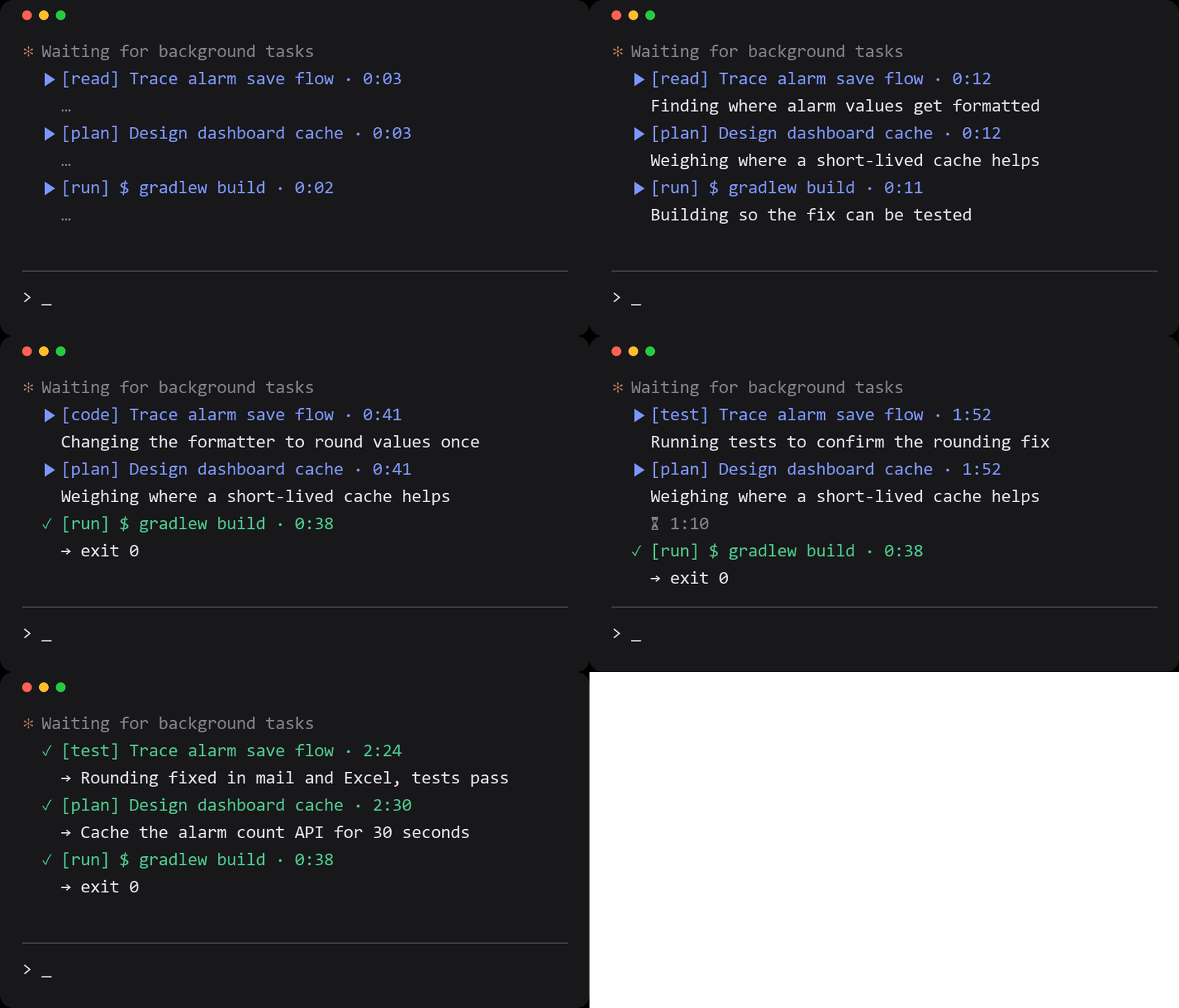
task-lens is a Claude Code mod. When Claude runs subagents, background shells or workflows, it adds a band above the prompt with one line per running task: what kind of work it is doing, one plain sentence about its purpose, and how long it has been going. The band never grows past four lines. No side panel, no extra window.
/plugin install task-lens --marketplace delpotro96/task-lens


Why
Claude Code tells you that background work is running. It does not tell you what each task is doing, whether it is stuck, or what it found. task-lens fills that gap in the space you are already looking at.
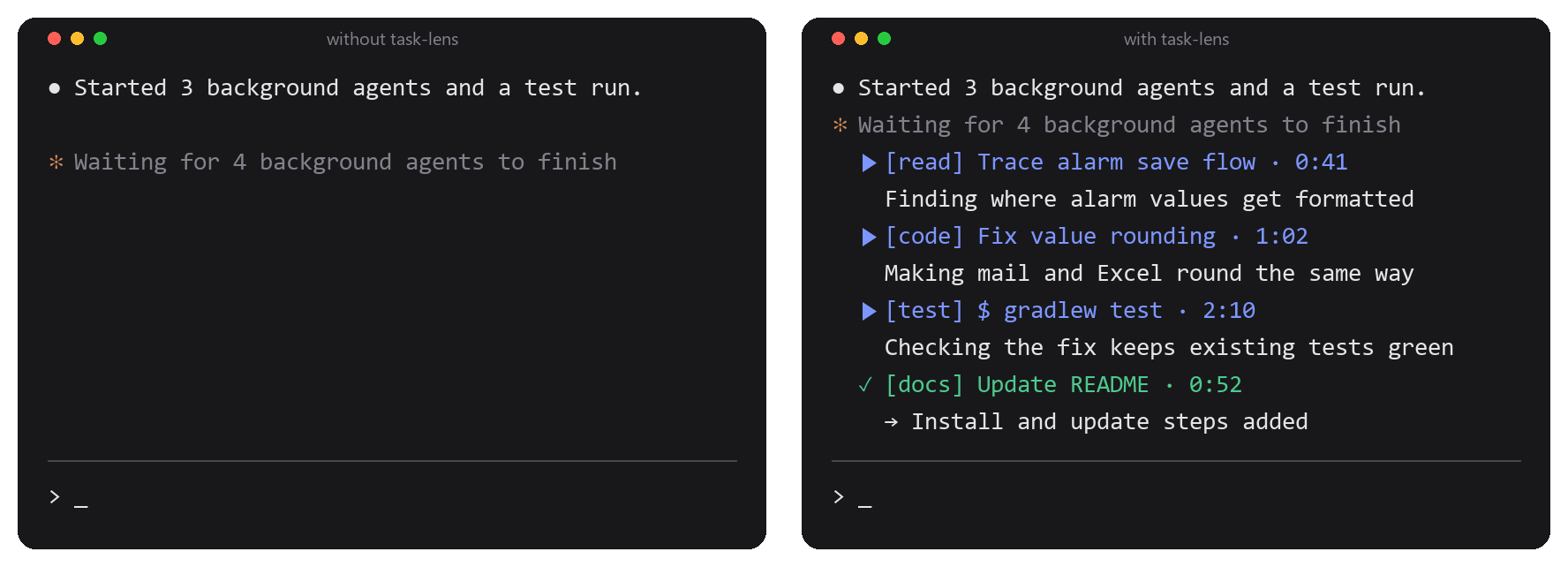
What you see
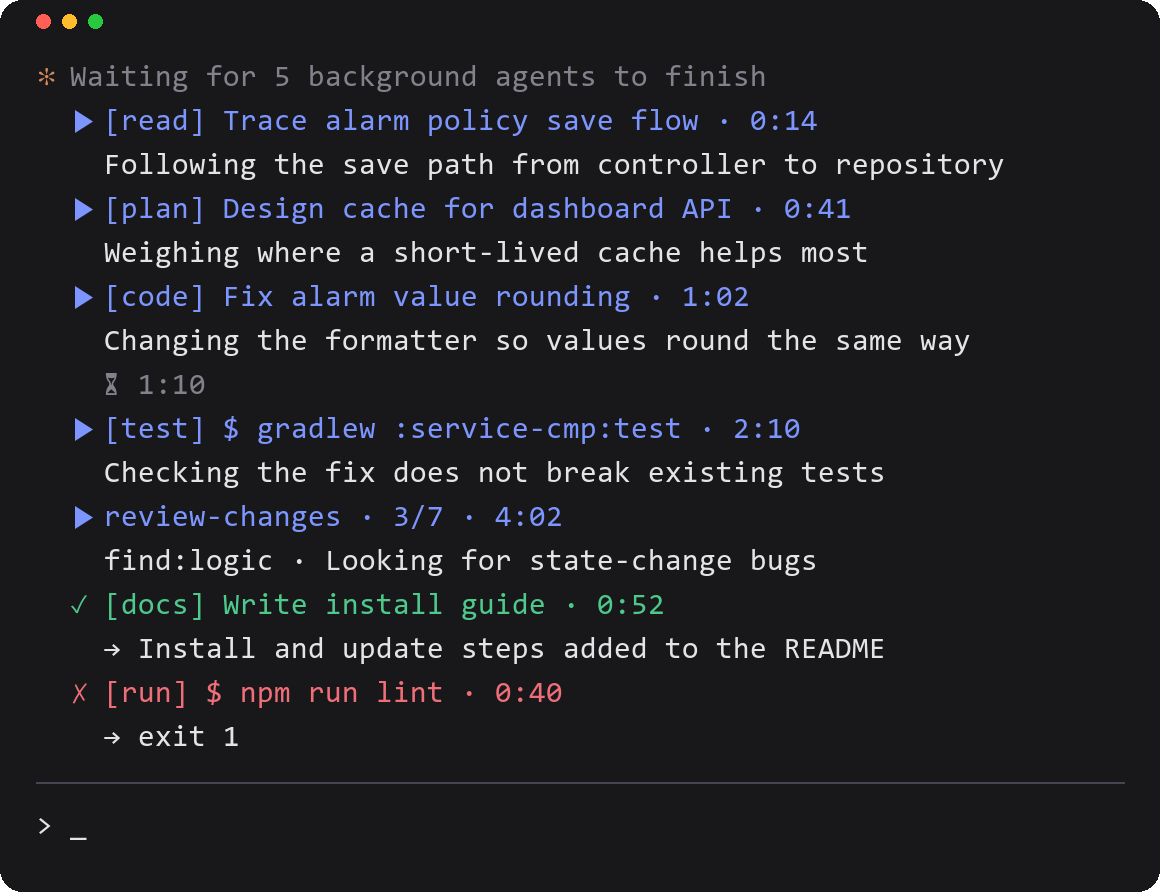
A purpose sentence for every running task. Haiku writes it from the task's instructions, the request you sent, and the task's recent actions. It says why the task is running, not which file it opened, and it is rewritten as the work moves on (every 5 tool calls, at most every 20 seconds). Each task keeps to one line; type /lens to see task titles, workflow agents and results in full.
A tag for the kind of work happening right now. The tag follows the current stage, so an agent that designs, then codes, then tests moves through [plan], [code] and [test]. The moment an agent starts editing files, the tag switches to [code] (or [docs] for Markdown and text files) without waiting for Haiku.
| Tag | Meaning |
|---|---|
[read] | investigating, reading or searching |
[code] | changing code |
[plan] | designing |
[docs] | writing documents |
[test] | verifying or testing |
[run] | building, deploying or running something |
Symbols for everything else, so the band reads the same in any language:
| Symbol | Meaning |
|---|---|
▶ ✓ ✗ ■ | running, done, failed, stopped |
$ | a background shell |
3/7 | workflow progress (finished agents / all agents) |
1:12 | elapsed time |
⏳1:10 | time since the last sign of progress, shown after a minute |
✓2 ✗1 | finished tasks, counted on one line |
+3 … | running tasks that did not fit in four lines |
→ | the result of a finished task, in /lens |
Results stay until your next message. A finished task is counted in the band and keeps a one-line result in /lens, so you can see what it found even if you were looking elsewhere. Sending your next prompt clears it.
In your language
Purpose and result sentences follow the language of your last prompt. A real capture from a Korean session with six tasks running at once:
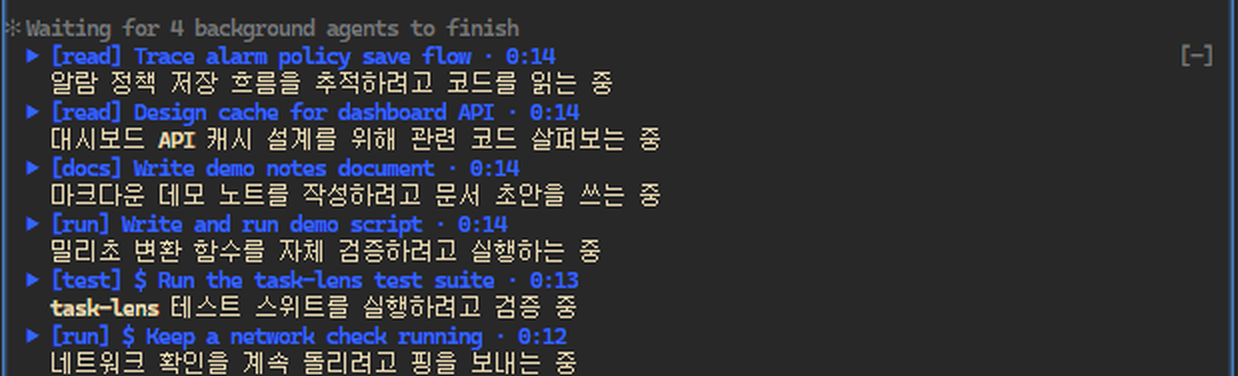
To always use one language, set the language option (for example English or Japanese). The default is auto.
Install
At the prompt of a terminal session:
/plugin install task-lens --marketplace delpotro96/task-lens
From a shell (use this in VS Code, where /plugin is not available inside the Claude Code panel):
claude plugin install task-lens --marketplace delpotro96/task-lens
Answer y to add the marketplace, then pick a scope. In the desktop app: click + next to the prompt box, then Plugins, Add marketplace with delpotro96/task-lens, then Add plugin.
Update
Third-party marketplaces do not update automatically by default:
claude plugin marketplace update task-lens
claude plugin update task-lens@task-lens
Then run /reload-plugins, or restart Claude Code. To update automatically, open /plugin, go to Marketplaces, select task-lens and choose Enable auto-update.
Uninstall
claude plugin uninstall task-lens@task-lens
VS Code
The band above the prompt is drawn in the terminal and the desktop app. In the VS Code extension, task-lens shows the same lines in a task-lens pane: it opens when a background task starts, /lens opens it on demand, and it closes when finished tasks are cleared.
Commands
| Command | What it does |
|---|---|
/lens | lists every tracked task with its purpose or result (and opens the pane in VS Code) |
/lens clear | removes finished tasks |
How it works
task-lens is a function-hooks mod. It watches subagent spawns, tool calls, background shell results and task notifications, keeps a small list of tasks, and draws it in the AbovePrompt band (or a pane in VS Code).
Purpose sentences and results come from Haiku through Claude Code's own model access. Calls are limited to 12 per task and 120 per session, and each call sends only the task title, its instructions, your latest request and its recent actions, all masked first.
Privacy
- Secrets in commands are masked before anything is drawn or sent to Haiku: tokens (GitHub, GitLab, Anthropic, AWS and others), passwords,
Authorizationand cookie headers, and credentials in URLs. - Nothing is sent anywhere except Haiku, through Claude Code itself.
- One short, masked sample of your last prompt is kept in the plugin's local storage so sentences can follow your language.
Troubleshooting
| Problem | Fix |
|---|---|
/plugin isn't available in this environment | You are in the VS Code panel or another host without /plugin. Install from a shell with claude plugin install ... and restart Claude Code. |
| The band never appears | Another mod may be drawing the same band without passing it on. Disable other band mods to check, or run /lens to see the list. |
A task shows … for a while | Haiku has not answered yet. /lens shows the last Haiku error, if any. |
Requirements
Built and tested with Claude Code 2.1.307 and 2.1.309.
License
MIT
Details
- Author
- @delpotro96
- GitHub Stars
- 2
- Sub-category
- Dashboards
- License
- MIT
- Added
- 1 months ago
- Last synced
- today
Weekly Mods Digest
Top new Claude Code mods and install commands, once a week. No fluff, unsubscribe anytime.

