
claudeline
Customizable status line for Claude Code featuring git integration, cost tracking, and theming.
claudeline
Customizable status line for Claude Code. Display model info, git status, context usage, costs, API usage limits, and more in your terminal.
Installation
# Install with a theme
npx claudeline --theme luca --install

# Or with a custom format
npx claudeline "claude:model fs:dir git:branch" --install
That's it. Restart Claude Code and your status line will appear.
Quick Start
# List available themes
npx claudeline --themes

# List all components
npx claudeline --list

# Preview what data is available
npx claudeline --preview

# Install to current project only
npx claudeline --theme powerline --install --project

# Uninstall
npx claudeline --uninstall
Themes
| Theme | Format |
|---|---|
minimal | claude:model fs:dir |
default | [claude:model] emoji:folder fs:dir if:git(sep:pipe emoji:branch git:branch git:status) |
powerline | bold:cyan:claude:model sep:powerline fs:dir if:git(...) |
full | [bold:cyan:claude:model] fs:home sep:arrow green:git:branch git:status sep:pipe ctx:bar ctx:percent sep:pipe cost:total |
git | [claude:model] emoji:folder fs:dir sep:pipe emoji:branch git:branch git:status git:ahead-behind if:dirty(...) |
tokens | claude:model sep:pipe ctx:emoji ctx:tokens sep:pipe cost:lines |
dev | [fs:dir] git:branch sep:pipe env:node sep:pipe time:now |
dashboard | [bold:claude:model] fs:dir sep:pipe git:branch git:status sep:pipe ctx:percent sep:pipe cost:total sep:pipe time:now |
context-focus | claude:model sep:pipe ctx:bar sep:pipe ctx:tokens sep:pipe ctx:emoji |
cost | claude:model sep:pipe cost:total sep:pipe cost:duration sep:pipe cost:lines-both |
simple | claude:model fs:dir git:branch |
verbose | [claude:model] [claude:version] sep:pipe fs:home sep:pipe git:branch git:status git:ahead-behind sep:pipe ctx:bar ctx:percent sep:pipe cost:total cost:duration sep:pipe time:now |
compact | claude:model sep:slash fs:dir sep:slash git:branch |
colorful | bold:magenta:claude:model sep:arrow cyan:fs:dir sep:arrow green:git:branch yellow:git:status sep:arrow blue:ctx:percent |
luca | Nerd font icons, colored repo:branch, dirty state, cost, 5h/weekly usage bars |
When you install with --theme, claudeline stores a theme:name reference so your status line automatically picks up theme updates when you upgrade.
Format Syntax
Components use type:key format, separated by spaces:
claude:model fs:dir git:branch
Styling
Add color/style prefixes before any component:
green:git:branch           # green text
bold:cyan:claude:model     # bold cyan text
bg-red:white:text:ERROR    # white on red background
Grouping
Wrap components in brackets to add literal brackets:
[claude:model]    # outputs: [Sonnet 4]
(fs:dir)          # outputs: (myproject)
{git:branch}      # outputs: {main}
<ctx:percent>     # outputs: <45%>
Conditionals
Show components only when conditions are met:
if:git(git:branch git:status)     # only in git repos
if:dirty(text:UNCOMMITTED)        # only when working tree is dirty
if:subdir(fs:relative)            # only when in a subdirectory (not git root)
if:node(env:node)                 # only in Node.js projects
if:python(env:python)             # only in Python projects
if:rust(emoji:rust)               # only in Rust projects
if:go(emoji:go)                   # only in Go projects
Separators
Use sep:name between components:
claude:model sep:pipe fs:dir sep:arrow git:branch
Available separators:
pipe→|arrow→→arrow-left→←chevron→›chevron-left→‹dot→•dash→-slash→/colon→:double-colon→::tilde→~double-pipe→‖bullet→◦diamond→◇star→★powerline→ ``powerline-left→ ``space→none→ (empty, useful for glueing components together)
Components Reference
Claude/Session
| Component | Description |
|---|---|
claude:model | Model display name (e.g., "Sonnet 4") |
claude:model-id | Model ID (e.g., "claude-sonnet-4") |
claude:model-letter | First letter of model name |
claude:version | Claude Code version |
claude:session | Session ID (first 8 chars) |
claude:session-full | Full session ID |
claude:style | Output style name |
Context Window
| Component | Description |
|---|---|
ctx:percent | Usage percentage (e.g., "45%") |
ctx:remaining | Remaining percentage |
ctx:tokens | Used/total tokens (e.g., "50k/200k") |
ctx:in | Input tokens |
ctx:out | Output tokens |
ctx:size | Context window size |
ctx:bar | Progress bar [████░░░░░░] |
ctx:bar:N | Progress bar with width N |
ctx:emoji | Status emoji (🟢🟡🟠🔴) |
ctx:used-tokens | Total used tokens |
Cost
| Component | Description |
|---|---|
cost:total | Total cost (e.g., "$0.42") |
cost:total-cents | Cost in cents (e.g., "42¢") |
cost:duration | Total session duration |
cost:api | API call duration |
cost:lines | Net lines changed (+/-) |
cost:added | Lines added |
cost:removed | Lines removed |
cost:lines-both | Lines added and removed |
Usage/Limits
Requires Clusage, a macOS menu bar app that tracks your Claude API usage. Clusage writes usage data to ~/.claude/clusage-api.json, which claudeline reads automatically. Install Clusage and add at least one account for usage components to work.
| Component | Description | Example |
|---|---|---|
usage:5h | 5-hour utilization % | 12% |
usage:week | 7-day utilization % | 58% |
usage:7d | Alias for usage:week | 58% |
usage:5h-reset | Time until 5h reset | 3h 32m |
usage:week-reset | Time until weekly reset | 2d 5h |
usage:7d-reset | Alias for usage:week-reset | 2d 5h |
usage:5h-bar | 5h progress bar with H label | H▰▰▱▱▱▱▱▱ |
usage:5h-bar:N | 5h bar with width N | H▰▱▱▱▱ |
usage:week-bar | Weekly progress bar with W label | W▰▰▰▰▰▱▱▱ |
usage:week-bar:N | Weekly bar with width N | W▰▰▰▱▱ |
usage:5h-emoji | 5h status emoji (🟢🟡🟠🔴) | 🟢 |
usage:week-emoji | Weekly status emoji | 🟡 |
usage:7d-emoji | Alias for usage:week-emoji | 🟡 |
usage:velocity | 5h usage velocity | 2.3 pp/hr |
usage:intensity | Usage intensity level | moderate |
usage:eta | Time until rate limit ceiling | 1h 23m |
usage:7d-granular | Interpolated 7-day utilization | 46.3% |
usage:7d-projected | Projected 7-day at reset | 62% |
usage:budget | Daily usage budget | 14.3 pp/day |
usage:budget-status | Budget pacing status | on_track |
File System
| Component | Description |
|---|---|
fs:dir | Current directory name |
fs:path | Full current path |
fs:project | Project directory name |
fs:project-path | Full project path |
fs:home | Path with ~ for home |
fs:cwd | Working directory |
fs:relative | Path relative to project |
Git
| Component | Description |
|---|---|
git:branch | Current branch name |
git:status | Clean (✓) or dirty (*) |
git:status-emoji | ✨ or 📝 |
git:status-word | "clean" or "dirty" |
git:ahead | Commits ahead (↑N) |
git:behind | Commits behind (↓N) |
git:ahead-behind | Both ahead/behind |
git:stash | Stash count (⚑N) |
git:staged | Staged files (●N) |
git:modified | Modified files (+N) |
git:untracked | Untracked files (?N) |
git:dirty | Combined dirty status with per-type colors (green staged, red untracked, yellow modified) |
git:repo-branch | Condensed repo:branch format |
git:commit | Short commit hash |
git:commit-long | Full commit hash |
git:tag | Current tag |
git:remote | Remote name |
git:repo | Repository name |
git:user | Git user name |
git:email | Git user email |
git:remote-url | Remote URL |
Environment
| Component | Description |
|---|---|
env:node | Node.js version |
env:node-short | Node version without 'v' |
env:bun | Bun version |
env:npm | npm version |
env:pnpm | pnpm version |
env:yarn | Yarn version |
env:python | Python version |
env:deno | Deno version |
env:rust | Rust version |
env:go | Go version |
env:ruby | Ruby version |
env:java | Java version |
env:user | Current username |
env:hostname | Full hostname |
env:hostname-short | Short hostname |
env:shell | Current shell |
env:term | Terminal type |
env:os | Operating system |
env:arch | CPU architecture |
env:os-release | OS release |
env:cpus | CPU count |
env:memory | Total memory |
Time
| Component | Description |
|---|---|
time:now | Current time (HH:MM) |
time:seconds | Time with seconds |
time:12h | 12-hour format |
time:date | Short date (Jan 15) |
time:full | Full date (2024-01-15) |
time:iso | ISO timestamp |
time:unix | Unix timestamp |
time:weekday | Short weekday |
time:weekday-long | Full weekday |
time:month | Short month |
time:month-long | Full month |
time:year | Year |
time:day | Day of month |
time:hour | Hour (24h) |
time:minute | Minute |
time:elapsed | Session elapsed time |
Nerd Font Icons
Use nerd:name for Nerd Font glyphs. Requires a Nerd Font in your terminal.
Files: folder, folder-open, file, file-code
Git: branch, repo, commit, merge, tag, stash, pr, diff, compare
Status: check, x, warn, error, info, question, bell, pin
Decorative: star, fire, rocket, sparkle, lightning, heart, diamond, circle, square, triangle
Tech: node, python, rust, go, ruby, java, docker, terminal, code, database, cloud, server, package, gear, lock, unlock, key, shield
Arrows: up, down, left, right, arrow-right, arrow-left
Time: clock, calendar, history
OS: apple, linux, windows
Other: search, eye, bug, wrench, plug, wifi, bluetooth, cpu, memory, home, user
Emojis
Use emoji:name for Unicode emojis (no Nerd Font required):
Files: folder 📁, file 📄, home 🏠
Git: branch 🌿, commit 📝, merge 🔀, tag 🏷️, stash 📦
Status: check ✓, x ✗, warn ⚠, error ❌, success ✅, info ℹ
Decorative: star ★, fire 🔥, rocket 🚀, sparkle ✨, lightning ⚡, heart ❤, diamond ◆, circle ●, square ■, triangle ▲
Tech: node ⬢, python 🐍, rust 🦀, go 🐹, ruby 💎, java ☕, docker 🐳
Indicators: green 🟢, yellow 🟡, orange 🟠, red 🔴
Arrows: up ↑, down ↓, left ←, right →
Other: clock 🕐, calendar 📅, money 💰
Colors & Styles
Prefix any component with styles:
Colors: black, red, green, yellow, blue, magenta, cyan, white, gray
Bright colors: bright-red, bright-green, bright-yellow, bright-blue, bright-magenta, bright-cyan, bright-white
Backgrounds: bg-black, bg-red, bg-green, bg-yellow, bg-blue, bg-magenta, bg-cyan, bg-white
Styles: bold, dim, italic, underline, inverse, strikethrough
Chain multiple styles: bold:green:underline:git:branch
Custom Text
Use text:value for literal text:
text:Hello text:World
text:"Hello World"      # with spaces
CLI Options
-i, --install          Install to ~/.claude/settings.json
-u, --uninstall        Remove statusline configuration
    --project          Use project .claude/ instead of global
-t, --theme <name>     Use a preset theme
-l, --list             List all components
    --themes           List all themes
-p, --preview          Show sample JSON data
    --no-emoji         Disable emojis
    --no-color         Disable colors
    --use-bunx         Force bunx in command
    --use-npx          Force npx in command
    --global-install   Use claudeline directly (global install)
-V, --version          Show version
-h, --help             Show help
How It Works
When you run --install, claudeline updates your ~/.claude/settings.json:
{
  "statusLine": {
    "type": "command",
    "command": "npx claudeline run theme:luca",
    "padding": 0
  }
}
Claude Code pipes session data as JSON to this command, and claudeline outputs the formatted status line.
Testing
Test your format without installing:
# Get sample data
npx claudeline --preview

# Test with sample data
echo '{"model":{"display_name":"Sonnet 4"}}' | npx claudeline run "claude:model fs:dir"

# Test a theme
echo '{"model":{"display_name":"Opus"}}' | npx claudeline run theme:dashboard
Package Managers
claudeline auto-detects bun vs node and uses the appropriate runner:
- Running with
bun→ installsbunx claudeline run ... - Running with
node→ installsnpx claudeline run ...
Override with --use-bunx or --use-npx.
License
MIT
More Plugins
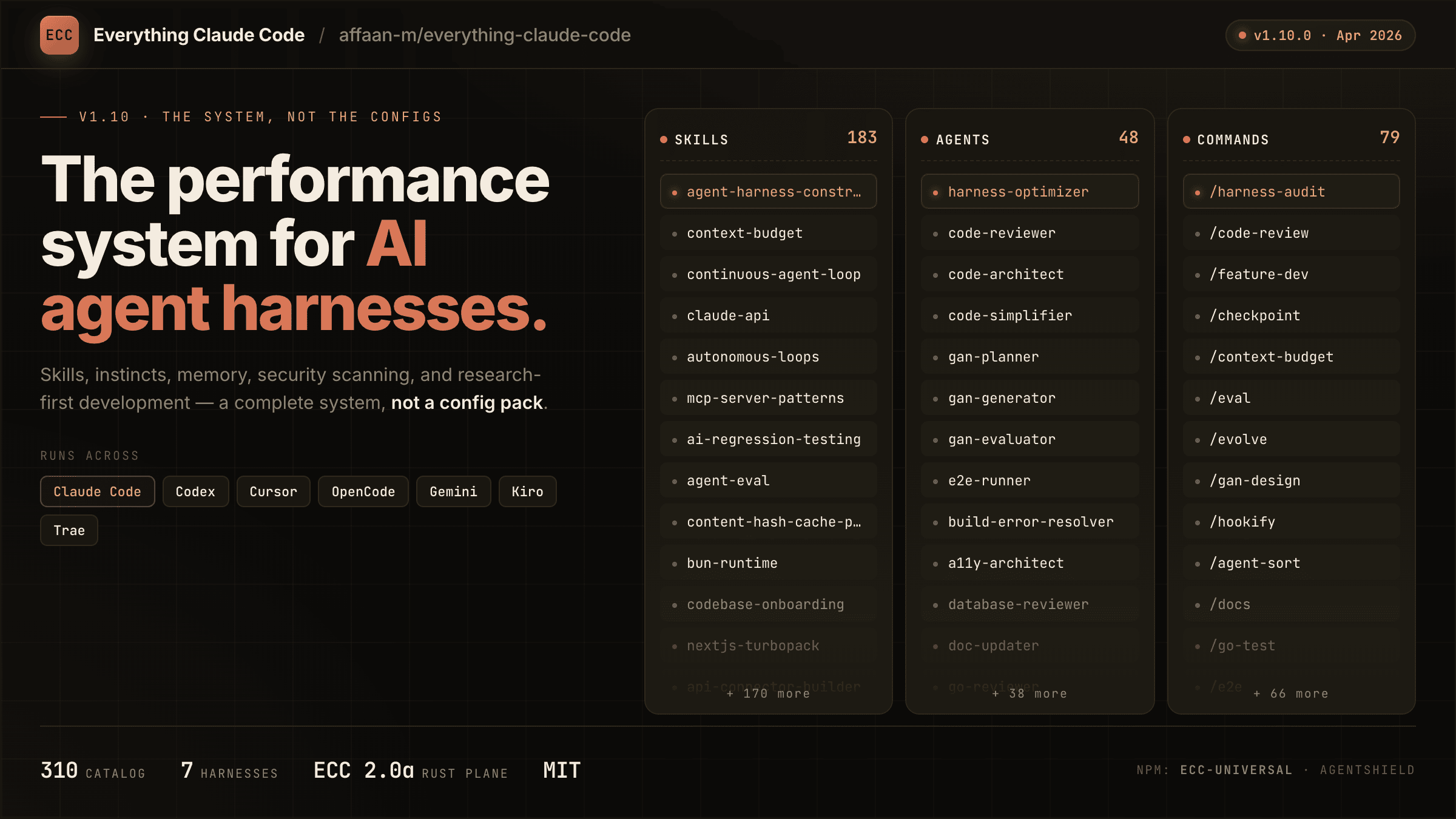
everything-claude-code
A comprehensive bundle of Claude Code optimizations: hooks, commands, CLAUDE.md configs, MCP setups, and workflow automations — everything you need in one repo.
Claude Supermemory
supermemoryai's persistent memory plugin for Claude Code — automatically indexes your codebases, conversations, and notes for semantic search across all sessions.

Claude Code Tools
CLI session utilities for Claude Code including tmux terminal integration, history wrappers, and automation helpers.