
everything-claude-code
A comprehensive bundle of Claude Code optimizations: hooks, commands, CLAUDE.md configs, MCP setups, and workflow automations — everything you need in one repo.
Language: English | العربية | Português (Brasil) | 简体中文 | 繁體中文 | 日本語 | 한국어 | Türkçe | Русский | Tiếng Việt | ไทย | Deutsch | Español | Українська | Polski | বাংলা











[!WARNING] Official sources only. Install ECC only from verified channels: the GitHub repository github.com/affaan-m/ECC, the npm packages
ecc-universalandecc-agentshield, the GitHub App, the plugin slugecc@ecc, and the project website ecc.tools. Third-party re-uploads and unofficial mirrors are not maintained or reviewed by the project and may contain malware.
Install with Claude Code
Use the guided setup or native plugin commands. Both install the same ecc@ecc plugin. Choose one and do not stack a full manual Claude install on top.
 ECC Pro + GitHub App Install free · Private repos from $19/seat/mo |
 Sponsor ECC Fund the open-source project |
 Community Discord · Q&A · Show and Tell |
OSS stays free. This repo is MIT-licensed forever. ECC Pro is the hosted GitHub App for private repos. Sponsors and Pro subscribers fund the work. That's why a single maintainer ships weekly across 7 harnesses.
Partners & sponsors





Past sponsors: Atlas Cloud · Mike Morgan (inactive)
Community sponsors: @jasonwu513 · @1anter · @massimotodaro · @meadmccabe
ECC
Your agent can write code, but ECC gives it a coordinated engineering system and toolbox: it plans before it builds, verifies changes with tests, reviews its own work from a fresh context, remembers what matters, and turns repeated wins into reusable skills and workflows.
plan -> test -> implement -> review -> verify -> remember -> improve
Instead of rebuilding that process in every prompt, you install it once and make it part of how your agent works.
Optimize the context window. Persist everything else.
ECC is MIT-licensed open source. It works best with Claude Code today, has native Codex and Qoder plugin paths, and provides capability-limited adapters for Cursor, OpenCode, Gemini, Zed, GitHub Copilot, Antigravity, Qwen, and other harnesses. See the support status matrix before assuming feature parity.
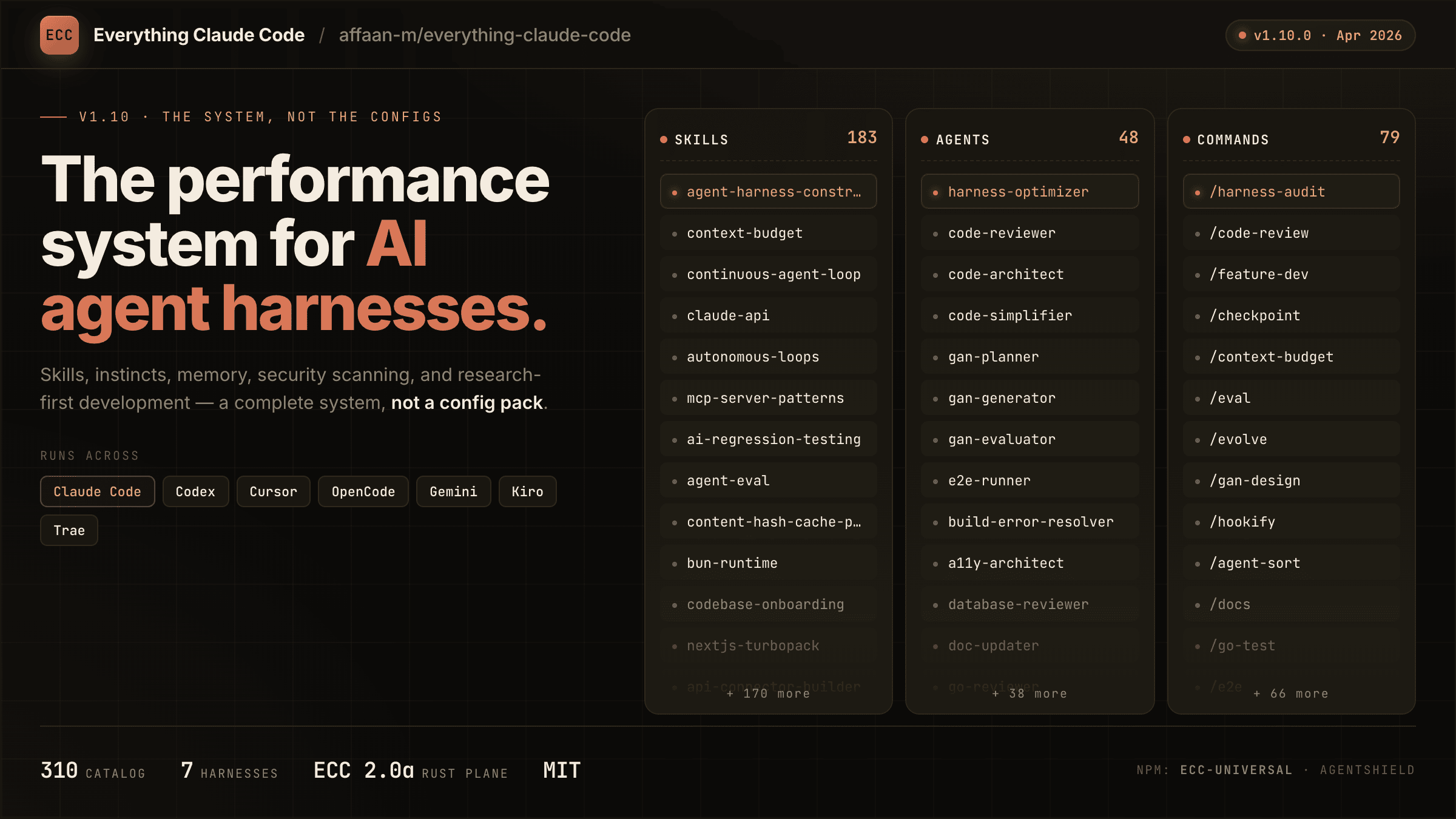
Access to 71 agents, 306 skills, and 97 legacy command shims, plus hooks, rules, memory, continuous learning, and AgentShield security scanning. The agents are specialized for planning, review, build repair, security, architecture, and domain work.
| Included | Count | What it gives you |
|---|---|---|
| Agents | 71 agents | Planning, review, build repair, security, architecture, and domain work |
| Skills | 306 skills | TDD, research, security, docs, frontend, data, ML, operations, and more |
| Commands | 97 commands | Convenient entry points while ECC moves to a skills-first surface |
| Hooks and memory | Runtime | Enforcement, session summaries, continuous learning, instincts, and context controls |
| Rules | Selective | Always-loaded standards you choose by language or project |
| AgentShield | Included | Scanning for prompts, hooks, MCP config, permissions, secrets, and agent files |
Install ECC
[!IMPORTANT] ECC 2.2 includes guided package setup for Claude Code, Codex, and Kimi Code. The universal package requires Node.js 18 or newer. Claude plugin setup also requires Git and Claude Code 2.1 or newer on
PATH.
Recommended: universal guided setup
For Claude Code plugin setup, updates, scope changes, and hook-profile changes:
npx ecc-universal@2.2.3 setup
Windows first-time walkthrough
If you are new to command-line tools, use this copy-and-paste path:
-
Install Node.js 18 or newer, Git, and Claude Code.
-
Open PowerShell from the Windows Start menu.
-
Confirm that each prerequisite is available:
node --version git --version claude --version -
Run the guided installer:
npx ecc-universal@2.2.3 setup -
For a typical personal setup, choose Global user, choose Standard hooks, and confirm.
-
Start a new Claude Code session and run
/plugin listto verify thatecc@eccis enabled.
This path does not require cloning the repository. If any prerequisite command is not found, install or repair that prerequisite before rerunning ECC setup.
If npm reports a version or cache error, confirm the registry version before retrying:
npm view ecc-universal version
ECC 2.2 supports the same guided setup through modern package runners:
| Package runner | Guided setup command |
|---|---|
| npm / npx | npx ecc-universal@2.2.3 setup |
| pnpm | pnpm dlx ecc-universal@2.2.3 setup |
| Yarn 2+ | yarn dlx ecc-universal@2.2.3 setup |
| Bun | bunx ecc-universal@2.2.3 setup |
The examples select the published ECC 2.2.3 release, matching this repository's release version. A version pin is not a security audit or an integrity check. Review the release source and registry integrity before running package code; use a reviewed checkout for unreleased changes.
Yarn Classic 1 does not provide yarn dlx; use npx, install the package globally, or upgrade Yarn for a temporary one-shot run.
The wizard inventories the official marketplace and every native Claude install scope before making changes, then installs, updates, or safely moves ecc@ecc to the scope you choose. Rerun the same command whenever you want to update ECC, change scope, or change its hook profile. This setup wizard currently configures the Claude Code plugin; use the multi-harness wizard below for Codex or Kimi Code.
To configure more than one coding agent in one reviewed flow, use the multi-harness wizard:
npx ecc-universal@2.2.3 install --guided
It lets you select any combination of Claude Code, Codex, and Kimi Code, shows each install channel and destination, preflights every selection before the first write, and asks for one final confirmation.
| Harness | Guided install behavior |
|---|---|
| Claude Code | Native ecc@ecc plugin with one user, project, or local scope and an ECC hook profile |
| Codex | Native Codex marketplace/plugin lifecycle; hook review and trust remain Codex-owned |
| Kimi Code | Managed project files under ./.kimi-code; ECC hooks, model/provider settings, and authentication are not configured |
For automation, make every provider-specific choice explicit:
npx ecc-universal@2.2.3 install --guided \
  --harness claude --harness codex --harness kimi \
  --claude-scope local --claude-hooks standard \
  --profile core --yes
Verify the native guided Codex path and managed Kimi path without writing first:
npx ecc-universal@2.2.3 install --guided --harness codex --dry-run
npx ecc-universal@2.2.3 install --profile core --target kimi --dry-run
Additional package-name commands are also available through the 2.2 alias:
npx ecc-universal@2.2.3 consult "security reviews" --target claude
npx ecc-universal@2.2.3 install --profile minimal --target claude --with capability:machine-learning
npx ecc-universal@2.2.3 doctor --target kimi
Do not use npx ecc-install --profile minimal --target claude: ecc-install is a binary name inside ecc-universal, not a separately published npm package.
ECC also ships advanced managed adapters for cursor, antigravity, gemini, opencode, codebuddy, joycode, qwen, zed, hermes, and openclaw. Those targets still use their documented ecc install --target ... paths until each adapter has passed the guided collision, update, repair, and uninstall lifecycle matrix. Neither wizard silently installs into every detected harness.
Pick one path only (per harness)
You can use ECC with Claude Code, Codex, and other harnesses at the same time. Choose one install method for each harness:
- Recommended default: run the guided Claude plugin setup above
- Also supported for Claude Code: use the native plugin commands
- Available in release 2.2: guided package setup for Claude Code, Codex, and Kimi Code
- Works: Claude Code plugin + Codex native plugin
- Works: Claude Code plugin + the legacy Codex sync flow
- Avoid: Claude Code plugin + full Claude manual install
- Avoid: Codex sync + Codex marketplace plugin
Do not stack install methods. Installing ECC twice into the same harness can duplicate skills, commands, hooks, or configuration; installing it once into multiple harnesses does not.
If you already layered multiple installs and things look duplicated, skip straight to Reset / Uninstall ECC.
Install trouble? Open the short install or runtime problem form, or run ecc feedback. ECC never uploads diagnostics automatically.
Claude Code details
Alternatively, run Claude Code's native plugin commands inside Claude Code:
/plugin marketplace add https://github.com/affaan-m/ECC
/plugin install ecc@ecc
The native path installs ECC's skills, agents, commands, and plugin-managed hooks. If you choose it, stop there. Do not also run a full manual install into Claude Code.
Claude Code owns these built-in commands, including their errors when a marketplace, plugin, or conflicting scope already exists. ECC cannot intercept that parser. If either native command reports an existing install or scope conflict, use the 2.2 guided setup or resolve the conflicting Claude plugin scope before retrying; do not layer a manual install on top.
After ECC is installed, /ecc:configure-ecc is the namespaced in-Claude reconfiguration skill. It delegates to the same safe setup flow, but it is available only after the plugin is installed and cannot replace Claude Code's built-in /plugin command during a first install.
Claude Code plugins cannot distribute rules, so add only the rule packs you actually want:
git clone https://github.com/affaan-m/ECC.git
cd ECC
mkdir -p ~/.claude/rules/ecc
cp -R rules/common ~/.claude/rules/ecc/
cp -R rules/typescript ~/.claude/rules/ecc/  # replace with your stack
Start with rules/common plus one language or framework pack you actually use. If you install the plugin, do not run ./install.sh --profile full afterward.
Prefer settings.json? Add the marketplace declaratively
Add directly to your ~/.claude/settings.json:
{
  "extraKnownMarketplaces": {
    "ecc": {
      "source": {
        "source": "github",
        "repo": "affaan-m/ECC"
      }
    }
  },
  "enabledPlugins": {
    "ecc@ecc": true
  }
}
This gives you the same result as the two /plugin commands above.
Naming + migration note (ecc@ecc, affaan-m/ECC, ecc-universal)
ECC has three public identifiers, and they are not interchangeable:
- GitHub source repo:
affaan-m/ECC - Claude marketplace/plugin identifier:
ecc@ecc - npm package:
ecc-universal
This is intentional. Anthropic marketplace/plugin installs are keyed by a canonical plugin identifier, so ECC uses ecc@ecc to keep tool names and slash-command namespaces short enough for strict Desktop/API validators. Older posts may still show the former long marketplace identifier; treat that as a legacy alias only. Separately, the npm package stayed on ecc-universal, so npm installs and marketplace installs intentionally use different names.
npm releases are cut per version tag, not per commit, so ecc-universal tracks releases (2.1, 2.2, ...) rather than every push to main. Install from git if you want the bleeding edge.
If your local Claude setup was wiped or reset, that does not mean you need to repurchase anything. Start with node scripts/ecc.js list-installed, then run node scripts/ecc.js doctor and node scripts/ecc.js repair before reinstalling. That usually restores ECC-managed files without rebuilding your setup.
Codex App and CLI
Current Codex releases can install ECC as a native repo-marketplace plugin. The marketplace entry uses the repository root so Codex's cache receives the manifest together with all referenced skills, MCP configuration, hook runtime, scripts, and assets:
codex plugin marketplace add affaan-m/ECC
codex plugin add ecc@ecc
codex plugin list --json
node scripts/codex/check-plugin-cache.js
Both add commands are idempotent. To refresh later, run codex plugin marketplace upgrade ecc followed by codex plugin add ecc@ecc. Codex stores one enabled plugin state in the active CODEX_HOME; it does not offer Claude's user, project, and local scopes. Its native hooks require an explicit trust decision and do not use Claude's four ECC hook profiles. Inside Codex, invoke $configure-ecc for the guided provider-aware flow.
The older scripts/sync-ecc-to-codex.sh path is a deprecated compatibility option for users who intentionally need copied and merged configuration in ~/.codex; it is not required for the native plugin. New sync runs write an ownership manifest so cleanup can preserve modified user files. Run Codex once first so ~/.codex/config.toml exists, then:
git clone https://github.com/affaan-m/ECC.git
cd ECC
npm install
bash scripts/sync-ecc-to-codex.sh
To inspect or remove that legacy layer without touching Codex conversations or native plugin caches:
node scripts/ecc.js uninstall --legacy-codex-sync --dry-run
node scripts/ecc.js uninstall --legacy-codex-sync
Pre-manifest installations are handled conservatively: ECC removes its marked AGENTS.md block but preserves copied files it cannot prove it owns and reports them for review.
You can also open the ECC repository directly in Codex for a project-local setup. Codex reads the root AGENTS.md and the trusted project configuration in .codex/ without a global sync. Do not add the native marketplace plugin on top of the sync flow.
For repo navigation, surface ownership, and PR diff packet guidance, read the Codex ECC Navigation Map. See the .codex plugin notes for native lifecycle details.
Qoder CLI and IDE
ECC ships a native Qoder plugin that reuses the canonical skills, agents,
95 legacy command shims, and the pinned chrome-devtools MCP definition. From a
reviewed checkout, validate and install it with Qoder CLI:
qoder plugins validate . --strict
qoder plugins install .
qoder plugins list
For Qoder IDE, upload a ZIP of the repository root. The ZIP root must contain
.qoder-plugin/ together with skills/, agents/, commands/, hooks/,
scripts/, and .mcp.json; uploading only the manifest directory or one
SKILL.md omits required resources.
The universal Node.js 18+ requirement applies to Qoder's non-interactive hook
environment. The MCP server also requires npx and network access on first use.
Qoder receives one reviewed, cross-platform SessionStart bootstrap using
QODER_PLUGIN_ROOT and exec-form arguments. ECC does not copy the full Claude
hook profile into Qoder: blocking tool hooks, async stop jobs, and
Claude-specific matchers remain outside this initial native integration. See
the .qoder-plugin notes for the exact boundary.
Other agents and editors
Cursor, OpenCode, Gemini, Zed, Antigravity, Qwen, Hermes, OpenClaw, Kimi, CodeBuddy, JoyCode, Copilot
Clone ECC once, then choose the target that matches your harness:
git clone https://github.com/affaan-m/ECC.git
cd ECC
| Harness | Install or setup | Notes |
|---|---|---|
| Cursor | ./install.sh --profile minimal --target cursor | Project-local .cursor/ adapter |
| OpenCode | npm install && npm run build:opencode && ./install.sh --profile full --target opencode --enable-hooks | Builds the plugin payload before the full install |
| Gemini CLI | ./install.sh --profile minimal --target gemini | Project-local .gemini/ config |
| Zed | ./install.sh --profile minimal --target zed | Project-local .zed/ adapter |
| Antigravity | ./install.sh --profile minimal --target antigravity | See the Antigravity guide |
| Qwen CLI | ./install.sh --profile minimal --target qwen | See the Qwen guide |
| Hermes | ./install.sh --profile minimal --target hermes | See the Hermes setup guide |
| OpenClaw | ./install.sh --profile minimal --target openclaw | Managed home-directory install |
| Kimi Code CLI | ./install.sh --profile minimal --target kimi | Project-local .kimi-code/ install · Get Kimi Code |
| CodeBuddy | ./install.sh --profile minimal --target codebuddy | Project-local .codebuddy/ install |
| JoyCode | ./install.sh --profile minimal --target joycode | Project-local .joycode/ install |
| GitHub Copilot | ./install.sh --profile full --target copilot | Installs skills to .github/skills/ and agents to .github/agents/ for Copilot CLI |
GitHub Copilot support is already included in this repository. .github/copilot-instructions.md provides the instruction layer, .github/prompts/ contains the reusable /plan, /tdd, /security-review, /build-fix, and /refactor prompts, and .vscode/settings.json enables chat.promptFiles. GitHub Copilot CLI additionally discovers the .agents/skills/ subset from a plain clone with no setup; see Platform Support for the full catalog and agents.
For a harness without a native ECC target, use the manual adaptation guide. It explains how to carry a small set of ECC skills and workflow instructions into chat-style tools without pretending hooks or native skill discovery are available.
Cursor installs agent definitions under .cursor/agents/ecc-*.md. Cursor-native loading behavior can vary by Cursor build. ECC does not install root AGENTS.md into .cursor/. The adapter keeps Cursor's context scoped to its native rules and agent surfaces.
Deep per-harness notes (feature parity, hook adapters, limitations) live in Platform Support below.
Advanced Install Options
Low-context install with no hook runtime
Low-context / no-hooks path
Use this when you want ECC's rules, agents, commands, platform config, and core workflows without runtime hooks:
npx ecc-universal@2.2.3 install --profile minimal --target claude
From a source checkout, the equivalent command is:
./install.sh --profile minimal --target claude
Windows:
.\install.ps1 --profile minimal --target claude
This profile intentionally excludes hooks-runtime.
Claude manual installs place each skill directly under ~/.claude/skills/<skill-name>/ (or .claude/skills/<skill-name>/ for claude-project) so Claude Code can discover it. When upgrading an older ECC manual install, the installer migrates only nested skills/ecc/ files recorded in ECC install-state. If a flat skill directory is user-owned, ECC preserves it, prints a conflict warning, and keeps any older managed copy tracked for a safe uninstall instead of overwriting user files.
For the normal core profile with hooks disabled:
./install.sh --profile core --without baseline:hooks --target claude
./install.sh --profile core --no-hooks --target claude
Add the hook runtime later only if you want it:
./install.sh --target claude --modules hooks-runtime --enable-hooks
Any install whose profile or modules would materialize the hook runtime requires
an explicit decision. Without --enable-hooks or --no-hooks, the installer
prints what the hooks can do and stops before writing anything. The guided
installer (ecc install --guided) asks for this choice interactively.
Choose only the components you need
Find the right components first
Ask the packaged advisor which components match your work:
node scripts/ecc.js consult "security reviews" --target claude
It returns matching components, related profiles, and preview/install commands. Use the preview command before installing if you want to inspect the exact file plan.
You can also install explicit skills or capabilities:
./install.sh --target claude --skills tdd-workflow,security-review
node scripts/ecc.js install --profile minimal --target claude --with capability:machine-learning
Manual component-by-component copying also works. Each component is fully independent:
# Just agents
mkdir -p ~/.claude/agents
cp agents/*.md ~/.claude/agents/

# Rules directories (common + language-specific)
mkdir -p ~/.claude/rules/ecc
cp -r rules/common ~/.claude/rules/ecc/
cp -r rules/typescript ~/.claude/rules/ecc/   # pick your stack

# Core/general skills only (Claude Code loads skills from direct children
# of ~/.claude/skills; do not nest manual installs under ~/.claude/skills/ecc/)
mkdir -p ~/.claude/skills
cp -r .agents/skills/* ~/.claude/skills/
cp -r skills/search-first ~/.claude/skills/

# Optional: maintained slash-command compatibility during migration
mkdir -p ~/.claude/commands
cp commands/*.md ~/.claude/commands/
Retired shims live in legacy-command-shims/. Copy individual files from there only if you still need old names such as /tdd.
Project-local rules instead of global rules
Use project-local rules when ECC's standards should apply to one repository rather than every Claude Code session:
cd your-project
mkdir -p .claude/rules/ecc
cp -R /path/to/ECC/rules/common .claude/rules/ecc/
cp -R /path/to/ECC/rules/typescript .claude/rules/ecc/
Rules are always-loaded context, so begin with common and one pack for the stack you actually use. When copying rules manually, copy the whole language directory (for example rules/common or rules/golang), not the files inside it, so relative references keep working and filenames do not collide.
Fully manual Claude install
Use this only when you are intentionally skipping the plugin path:
git clone https://github.com/affaan-m/ECC.git
cd ECC
./install.sh --profile full --enable-hooks
Windows:
git clone https://github.com/affaan-m/ECC.git
cd ECC
.\install.ps1 --profile full --enable-hooks
These examples enable the automatic hook runtime. To install without hooks, replace --enable-hooks with --no-hooks.
If you choose this path, stop there. Do not also run /plugin install.
For hand-picked manual installs, Claude discovers skills as direct children of ~/.claude/skills/; do not nest them under ~/.claude/skills/ecc/.
Install hooks
Do not copy the raw repo hooks/hooks.json into ~/.claude/settings.json or ~/.claude/hooks/hooks.json. That file is plugin/repo-oriented; use the installer so hook command paths are rewritten correctly:
bash ./install.sh --target claude --modules hooks-runtime --enable-hooks
That installs the hook scripts under ~/.claude/ and registers the resolved
hook entries in ~/.claude/settings.json. Existing user settings and hooks are
preserved; ECC-owned entries are tracked by stable ID for idempotent updates
and safe uninstall.
If you installed ECC via /plugin install, do not copy those hooks into settings.json. Claude Code v2.1+ already auto-loads plugin hooks/hooks.json, and duplicating them in settings.json causes duplicate execution and cross-platform hook conflicts.
On Windows, Claude's config root is %USERPROFILE%\.claude; install the hook runtime with:
pwsh -File .\install.ps1 --target claude --modules hooks-runtime --enable-hooks
Configure MCPs
Claude plugin installs intentionally do not auto-enable ECC's bundled MCP server definitions. This avoids overlong plugin MCP tool names on strict third-party gateways while keeping manual MCP setup available.
Use Claude Code's /mcp command or CLI-managed MCP setup for live Claude Code server changes; Claude Code persists those choices in ~/.claude.json. For repo-local MCP access, copy desired MCP server definitions from mcp-configs/mcp-servers.json into a project-scoped .mcp.json.
ECC ships exactly one default connector (chrome-devtools); everything else is a skill wrapping a CLI/REST API or an opt-in catalog entry. The rule and the June 2026 audit that retired the previous six defaults live in docs/MCP-CONNECTOR-POLICY.md.
If you already run your own copies of ECC-bundled MCPs, set:
export ECC_DISABLED_MCPS="chrome-devtools"
ECC-managed install and Codex sync flows will skip or remove those bundled servers instead of re-adding duplicates. ECC_DISABLED_MCPS is an ECC install/sync filter, not a live Claude Code toggle.
Important: Replace YOUR_*_HERE placeholders with your actual API keys.
Multi-model commands require additional setup
multi-* commands are not covered by the base plugin/rules install.
To use /multi-plan, /multi-execute, /multi-backend, /multi-frontend, and /multi-workflow, you must also install the ccg-workflow runtime. Choose and review an exact release using the upstream CCG installation guide, then initialize that installed runtime. ECC does not bundle CCG or attest to a compatible, audited CCG release; this guide does not bootstrap an unspecified registry version.
That runtime provides the external dependencies these commands expect, including:
~/.claude/bin/codeagent-wrapper~/.claude/.ccg/prompts/*
Without ccg-workflow, these multi-* commands will not run correctly.
Astra review requires the Codex CLI
/astra-review sends Claude-written code to GPT-6-Astra for an independent cross-provider review. It runs the locally installed Codex CLI with your ChatGPT login (codex login); no OpenAI API key is needed, and API keys in your environment are not forwarded. Invoking the command is your consent to send that diff to OpenAI. Setup, scopes, push gating, and troubleshooting are in the Astra Review Guide.
Reset, repair, or uninstall
Reset / Uninstall ECC
If you installed from the universal package, run these commands from the same project directory used for installation:
npx ecc-universal@2.2.3 list-installed
npx ecc-universal@2.2.3 doctor
npx ecc-universal@2.2.3 repair
npx ecc-universal@2.2.3 uninstall --dry-run
npx ecc-universal@2.2.3 uninstall
From a source checkout, inspect the managed state before reinstalling:
node scripts/ecc.js list-installed
node scripts/ecc.js doctor
node scripts/ecc.js repair
node scripts/ecc.js uninstall --dry-run
For a direct source-checkout uninstall:
node scripts/uninstall.js --dry-run
node scripts/uninstall.js
If you are leaving, the uninstall command prints an optional 20-second feedback form. It is a public GitHub issue, never blocks uninstall, and ECC does not upload diagnostics. You can also run ecc feedback at any time to see the problem, feedback, and feature routes.
Plugin users should remove the plugin from Claude Code, then delete only the rule folders they manually copied and no longer want. ECC only removes files recorded in its install-state. It does not claim unrelated files in your harness directories.
If you stacked methods, clean up in this order:
- Remove the Claude Code plugin install.
- Run the ECC uninstall command from the project directory that contains the managed install-state.
- Delete any extra rule folders you copied manually and no longer want.
- Reinstall once, using a single path.
Start Using ECC
Start with the workflow you need, not the full catalog.
| What you are doing | Start here |
|---|---|
| Building a feature | /ecc:plan "describe the feature", then tdd-workflow |
| Fixing a bug | Reproduce it with a failing test, then use tdd-workflow |
| Reviewing new code | /code-review for a fresh-context review |
| Repairing a build | /build-fix |
| Cleaning a codebase | /refactor-clean |
| Checking context pressure | /context-budget |
| Ending a long session | /save-session or /learn-eval |
| Resuming later | /resume-session |
| Auditing agent config | /security-scan with a reviewed scanner, or installed agentshield scan --path . |
Plugin commands and manual commands
Claude Code plugin commands use the namespaced form:
/ecc:plan "Add authentication"
Manual installs may expose the shorter compatibility form:
/plan "Add authentication"
Skills are the primary workflow surface. Commands remain convenient entry points and compatibility shims. Check what is installed with:
/plugin list ecc@ecc
Which agent should I use?
Skills are the canonical workflow surface; maintained slash entries stay available for command-first workflows.
| I want to... | Use this surface | Agent used |
|---|---|---|
| Plan a new feature | /ecc:plan "Add auth" | planner |
| Design system architecture | /ecc:plan + architect agent | architect |
| Write code with tests first | tdd-workflow skill | tdd-guide |
| Review code I just wrote | /code-review | code-reviewer |
| Fix a failing build | /build-fix | build-error-resolver |
| Run end-to-end tests | e2e-testing skill | e2e-runner |
| Find security vulnerabilities | /security-scan | security-reviewer |
| Remove dead code | /refactor-clean | refactor-cleaner |
| Update documentation | /update-docs | doc-updater |
| Review Go code | /go-review | go-reviewer |
| Review Python code | /python-review | python-reviewer |
| Review F# code | (invoke fsharp-reviewer directly) | fsharp-reviewer |
| Review TypeScript/JavaScript code | (invoke typescript-reviewer directly) | typescript-reviewer |
| Develop HarmonyOS apps | (invoke harmonyos-app-resolver directly) | harmonyos-app-resolver |
| Audit database queries | (auto-delegated) | database-reviewer |
| Review production ML changes | mle-workflow skill + mle-reviewer agent | mle-reviewer |
Common workflows
Slash forms below are shown where they remain part of the maintained command surface. Retired short-name shims such as /tdd and /eval live in legacy-command-shims/ for explicit opt-in only.
Starting a new feature:
/ecc:plan "Add user authentication with OAuth"
                                              -> planner creates implementation blueprint
tdd-workflow skill                            -> tdd-guide enforces write-tests-first
/code-review                                  -> code-reviewer checks your work
Fixing a bug:
tdd-workflow skill                            -> tdd-guide: write a failing test that reproduces it
                                              -> implement the fix, verify test passes
/code-review                                  -> code-reviewer: catch regressions
Preparing for production:
/security-scan                                -> security-reviewer: OWASP Top 10 audit
e2e-testing skill                             -> e2e-runner: critical user flow tests
/test-coverage                                -> verify 80%+ coverage
Self-Hosted Models and Custom Endpoints
ECC works through each harness's normal configuration, so you can use an official provider, a compatible custom API endpoint or model gateway, or a self-hosted model without changing ECC's workflows.
For Claude Code, ECC does not hardcode Anthropic-hosted transport settings. Minimal gateway example:
export ANTHROPIC_BASE_URL=https://your-gateway.example.com
export ANTHROPIC_AUTH_TOKEN=your-token
claude
If your gateway remaps model names, configure that in Claude Code rather than in ECC. ECC's hooks, skills, commands, and rules are model-provider agnostic once the claude CLI is already working. See Anthropic's LLM gateway documentation and model configuration documentation.
Run or self-host any open-source model behind that gateway using separate compute and serving setup. If you need GPU capacity, Itô is ECC's preferred compute sponsor; any GPU provider works. The sponsorship link is passive: it does not invoke an RFQ, reserve capacity, provision compute, or configure serving. Separately, ecc ito find invokes the explicitly configured canonical Itô CLI and submits a live authenticated RFQ; it does not reserve capacity. Managed inference through Itô is not live yet.
Self-host Kimi with ECC + Itô compute
The Kimi Code harness and the model-serving layer are separate. ECC configures the agent harness; you bring an API endpoint (get a Kimi API key) or self-host an open-weight Kimi model on your own GPU capacity. This adapter is verified against Kimi Code 0.31.x (@moonshot-ai/kimi-code):
|
1. Get GPU capacity Use Itô or any GPU provider. |
2. Serve Kimi Expose the chosen checkpoint through a compatible endpoint. |
3. Run Kimi Code with ECC Install project instructions and skills, then start Kimi Code. |
Configure the endpoint with Kimi Code's official provider guide, then install ECC:
bash ./install.sh --target kimi --profile minimal
node scripts/ecc.js doctor --target kimi
kimi
Kimi Code discovers the installed .kimi-code/AGENTS.md instructions and .kimi-code/skills/ workflows natively; project-level .agents/skills/ is also an official discovery location. ECC safely merges project MCP entries into .kimi-code/mcp.json and does not change the user-level ~/.kimi-code/config.toml. Kimi Code supports native hooks, but ECC's current managed-project adapter does not configure them, so this installer does not offer Kimi hook profiles. The installer dry-run and regression suite verify that every managed Kimi write stays inside the project-local .kimi-code/ root.
Itô compute CLI bridge
ecc ito delegates to the separately installed canonical Itô client; ECC does not maintain a second API client. ecc ito login [--no-browser] performs device authorization, opens the Itô verification page by default, and persists a device token in macOS Keychain; --no-browser suppresses the page handoff. ECC itself does no browser automation. ecc ito auth is validation-only and rejects --no-browser. The available operations are ecc ito login, ecc ito auth, ecc ito find, ecc ito status, and the separately gated ecc ito evals. The matching MCP tools remain ito_auth, ito_find, and ito_status; ito_auth validates existing credentials and node qualification is CLI-only.
The ito-compute-cli package is currently unpublished. Build it locally from the Itô runtime repo (private while the desk hardens; design partners get access) under cli/ito-compute-cli, run npm ci and npm run check, then set ECC_ITO_CLI_EXECUTABLE to that build's absolute dist/bin/ito.js path. Login never inherits ITO_API_KEY; auth, find, and status forward ITO_API_KEY directly when configured, and ITO_AUTH_MODE=legacy is not required. ecc ito logout revokes the current device credential and retains its local copy if remote revocation cannot be confirmed. Device tokens use macOS Keychain by default; explicit file fallback must retain owner-only directory/file permissions. ECC does not discover this credential-bearing client through PATH. See the ito-compute skill for the full RFQ authority and MCP setup contract.
find submits a live authenticated RFQ. It does not reserve capacity. evals requires both ITO_ENABLE_SIXTYTWO_LIVE=1 and --live-sixtytwo, a separately installed sixtytwo-cli==0.3.33, an explicit node list, and an existing absolute configuration directory. It cannot rent, launch, recover, repair, or purchase. ECC exposes no quote lock, purchase, workload, or inference path, and it never replaces a missing client or failed live call with a local result.
What's New
Current release: 2.2.3 (2026-10-01). Highlights of the 2.2 line:
- Guided, manifest-driven setup across Claude Code, Codex, and Kimi Code, with install-state ownership, doctor, repair, and uninstall.
- Native Antigravity install, a thin Pi adapter, and the packed-artifact release gate tested on Linux, macOS, and Windows.
- Plan Canvas browser review, the unified memory vault (
ecc memory), and the Itô compute skill family.
Full history: CHANGELOG.md. Per-release notes and evidence live under docs/releases/.
v2.0.0: The Agent Harness Operating System (Jun 2026)
Stable graduation of the 2.0 line: control-pane substrate, worktree lifecycle service, the orch-* orchestrator family, and the Discord community. Notes: docs/releases/2.0.0/release-notes.md.
What's Inside
ECC/
|-- agents/           # 71 specialized subagents for delegation
|-- skills/           # 306 reusable workflows loaded on demand
|-- commands/         # 97 maintained slash-command shims
|-- rules/            # opt-in common and language standards
|-- hooks/            # runtime automation and enforcement
|-- scripts/          # install, repair, sync, orchestration, and checks
|-- .claude-plugin/   # Claude Code marketplace manifest
|-- .codex/           # Codex reference configuration and agent roles
|-- .opencode/        # OpenCode plugin, commands, and instructions
|-- .cursor/          # Cursor rules and hook adapter
|-- docs/             # public setup, architecture, and operating guides
The root is the source of truth. Platform adapters package or map these same workflows instead of maintaining separate copies.
Annotated component catalog
ECC/
|-- .claude-plugin/   # Plugin and marketplace manifests
|   |-- plugin.json         # Plugin metadata and component paths
|   |-- marketplace.json    # Marketplace catalog for /plugin marketplace add
|
|-- agents/           # 71 specialized subagents for delegation
|   |-- planner.md           # Feature implementation planning
|   |-- architect.md         # System design decisions
|   |-- tdd-guide.md         # Test-driven development
|   |-- code-reviewer.md     # Quality and security review
|   |-- security-reviewer.md # Vulnerability analysis
|   |-- build-error-resolver.md
|   |-- e2e-runner.md        # Playwright E2E testing
|   |-- refactor-cleaner.md  # Dead code cleanup
|   |-- doc-updater.md       # Documentation sync
|   |-- docs-lookup.md       # Documentation/API lookup
|   |-- chief-of-staff.md    # Communication triage and drafts
|   |-- loop-operator.md     # Autonomous loop execution
|   |-- harness-optimizer.md # Harness config tuning
|   |-- cpp-reviewer.md      # C++ code review
|   |-- cpp-build-resolver.md # C++ build error resolution
|   |-- fsharp-reviewer.md   # F# functional code review
|   |-- go-reviewer.md       # Go code review
|   |-- go-build-resolver.md # Go build error resolution
|   |-- python-reviewer.md   # Python code review
|   |-- database-reviewer.md # Database/Supabase review
|   |-- typescript-reviewer.md # TypeScript/JavaScript code review
|   |-- java-reviewer.md     # Java/Spring Boot code review
|   |-- java-build-resolver.md # Java/Maven/Gradle build errors
|   |-- kotlin-reviewer.md   # Kotlin/Android/KMP code review
|   |-- kotlin-build-resolver.md # Kotlin/Gradle build errors
|   |-- harmonyos-app-resolver.md # HarmonyOS/ArkTS app development
|   |-- ruby-reviewer.md     # Ruby/Rails code review
|   |-- rust-reviewer.md     # Rust code review
|   |-- rust-build-resolver.md # Rust build error resolution
|   |-- pytorch-build-resolver.md # PyTorch/CUDA training errors
|   |-- mle-reviewer.md      # Production ML pipeline, eval, serving, and monitoring review
|
|-- skills/           # Workflow definitions and domain knowledge
|   |-- coding-standards/           # Language best practices
|   |-- clickhouse-io/              # ClickHouse analytics, queries, data engineering
|   |-- backend-patterns/           # API, database, caching patterns
|   |-- frontend-patterns/          # React, Next.js patterns
|   |-- frontend-slides/            # HTML slide decks and PPTX-to-web presentation workflows
|   |-- article-writing/            # Long-form writing in a supplied voice w
More Plugins
Claude Supermemory
supermemoryai's persistent memory plugin for Claude Code — automatically indexes your codebases, conversations, and notes for semantic search across all sessions.

Claude Code Tools
CLI session utilities for Claude Code including tmux terminal integration, history wrappers, and automation helpers.
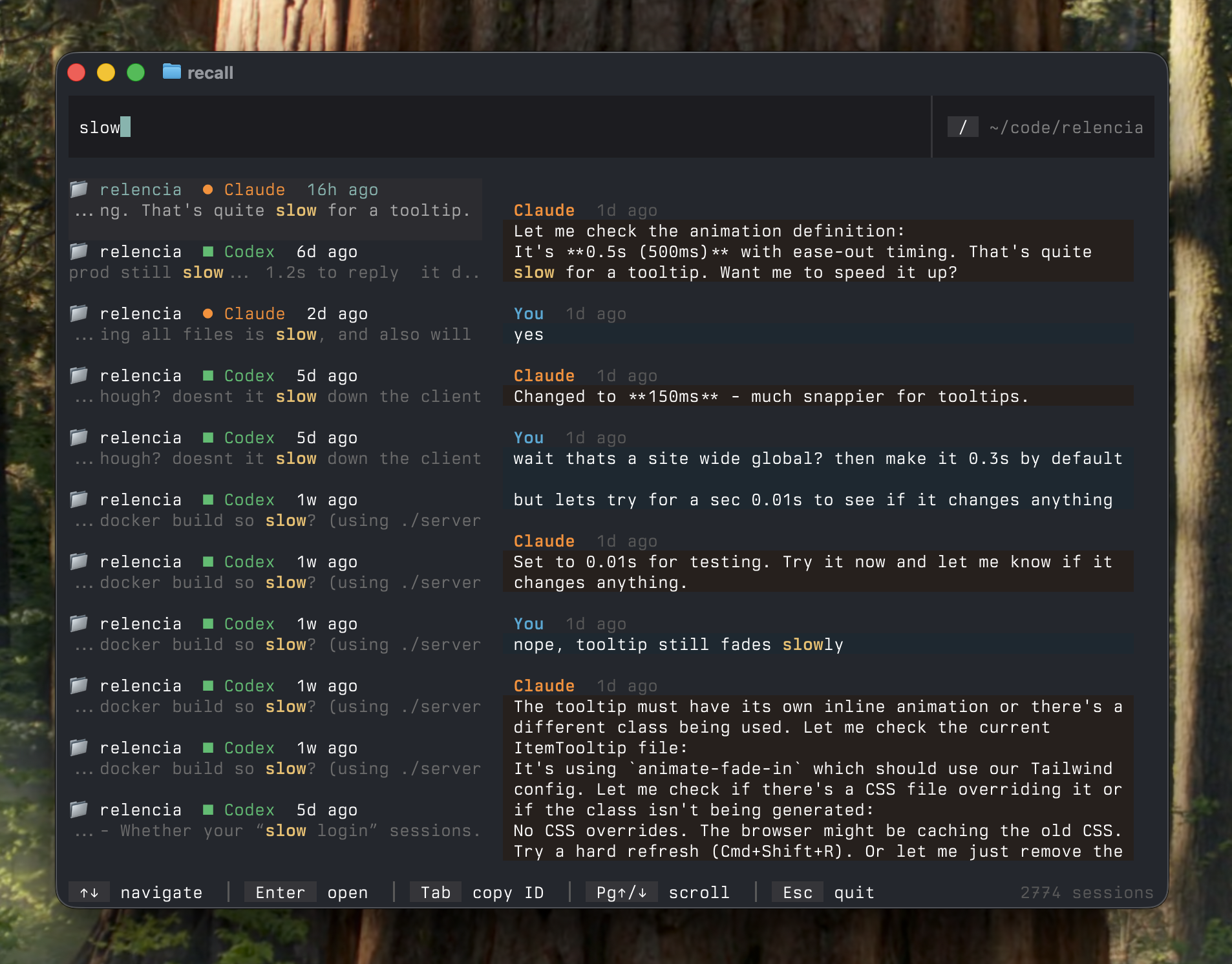
Recall
Persistent cross-session memory plugin for Claude Code — indexes files, git history, and past conversations so Claude can recall context from weeks ago instantly.