Search for a command to run...
282 listings
A concise weekly digest of newly verified Claude Code mods, copy-paste install commands, and static permission summaries. Unsubscribe anytime.
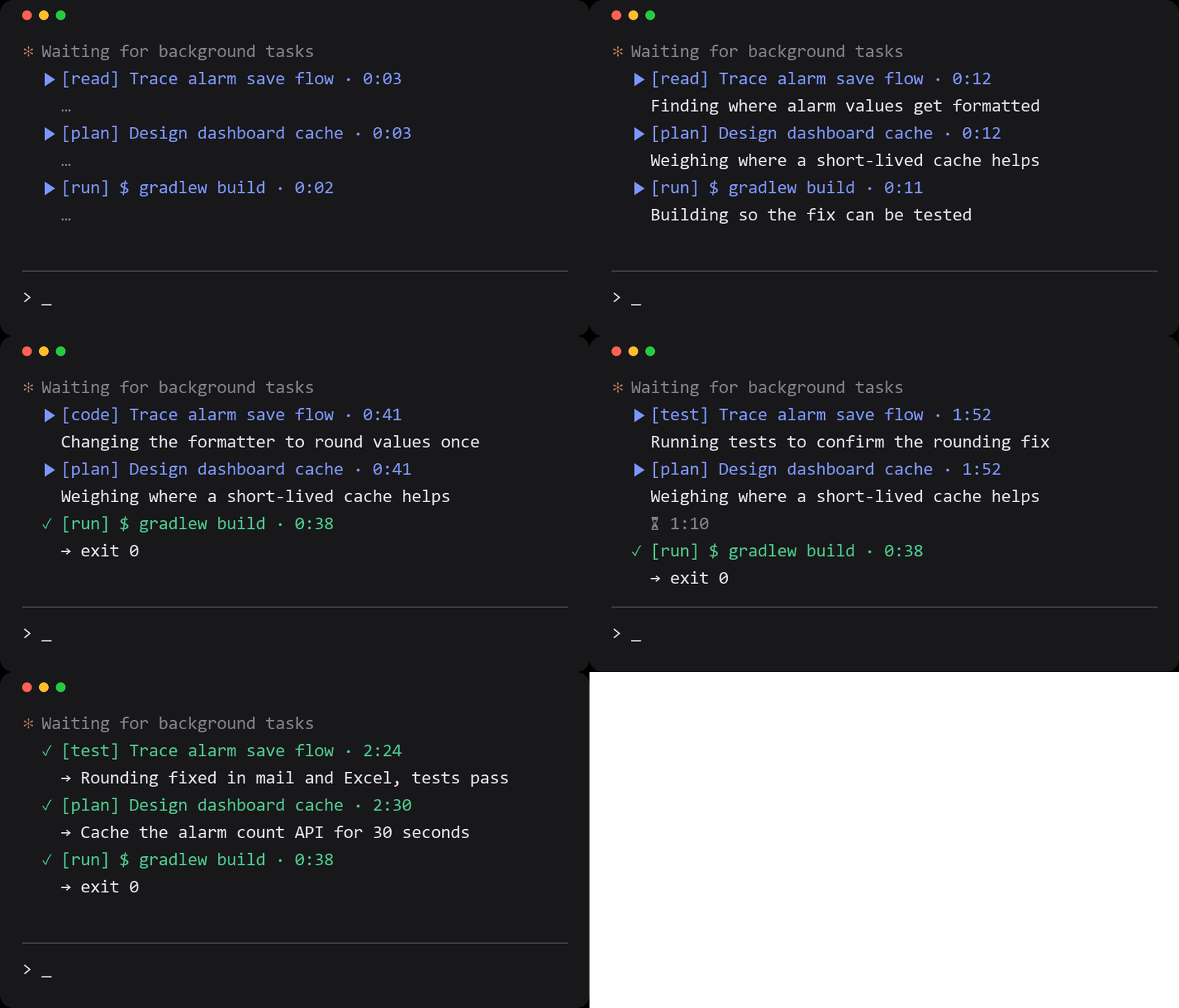
See what your background work is actually doing. task-lens adds a band above the Claude Code prompt that shows every running subagent, background shell and workflow as one plain sentence about its purpose, written by Haiku in the language you prompt in. Each task gets a kind tag ([read] [code] [plan] [docs] [test] [run]) that follows its current stage, plus elapsed time, stall time and a one-line result when it ends. No side panel.
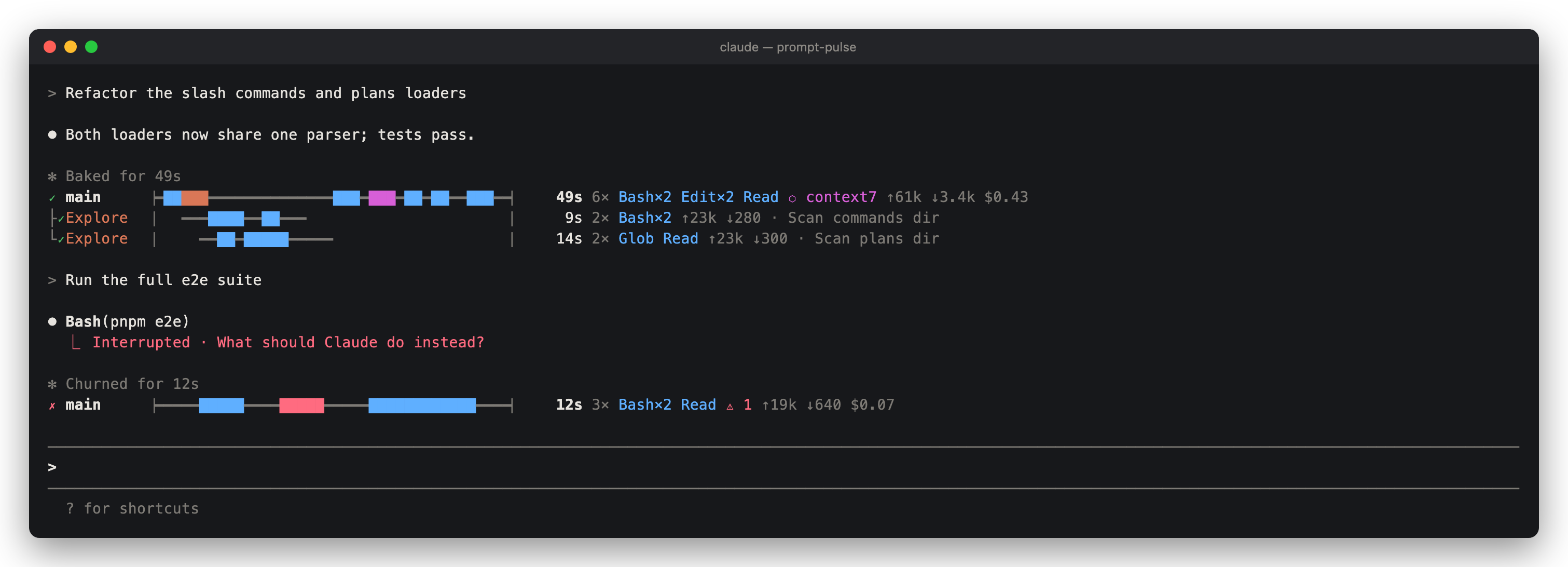
Live timeline of every Claude Code turn, drawn above the prompt: the main agent and each subagent as lanes on one time axis, with tools, MCP calls, skills and errors color-coded. Shows per-lane call counts, tokens in/out, the turn's cost and what's running now. Finished turns stay in the transcript, background agents are tracked until they end. Toggle with /pulse. For anyone running subagents or MCP-heavy workflows.
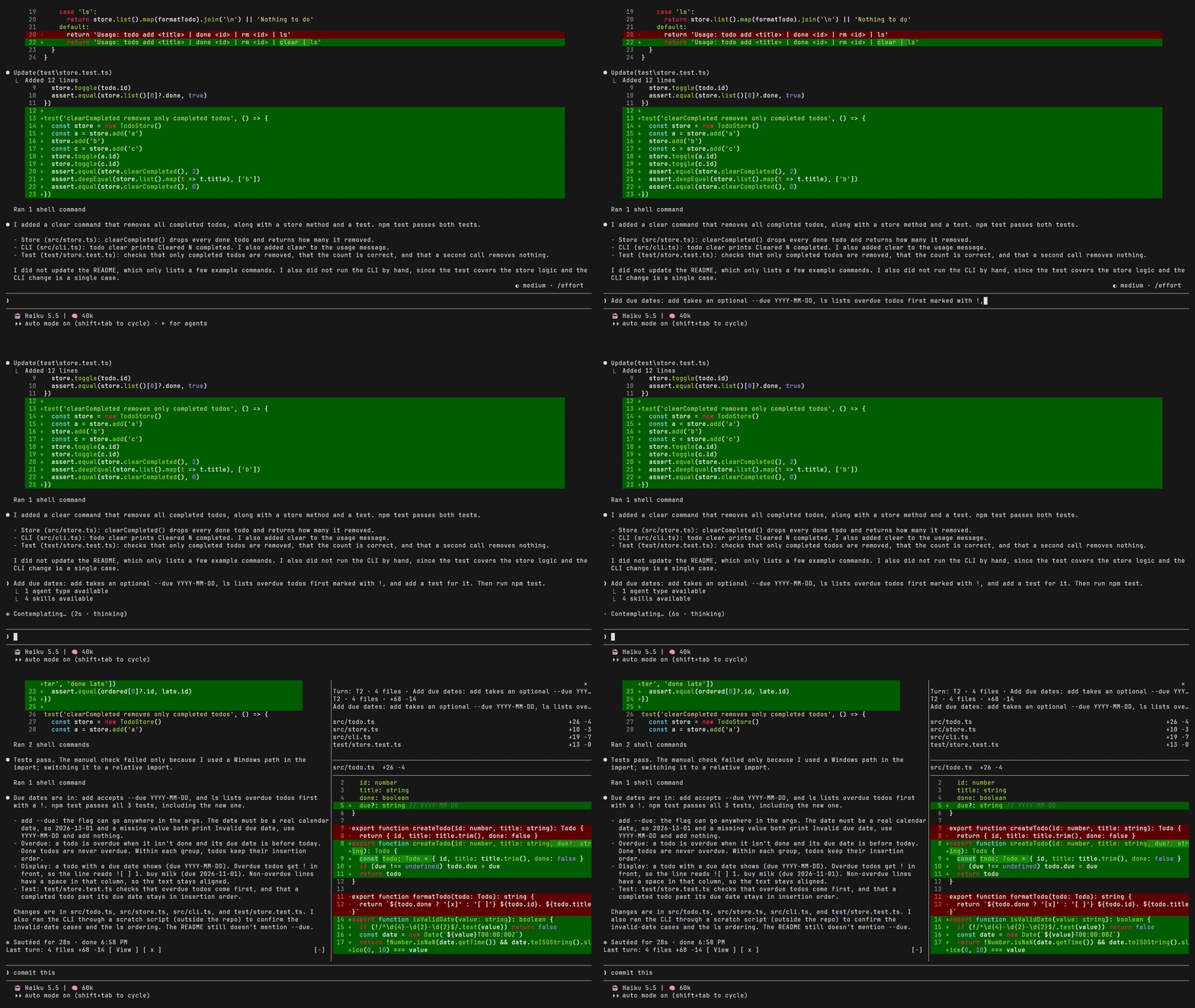
See what Claude's last turn changed in one pane: a net diff per file, including files changed by shell commands and builds (git, Plastic SCM), with earlier turns a pick away. For reviewing each turn before you move on. Terminal and Desktop Code tab.
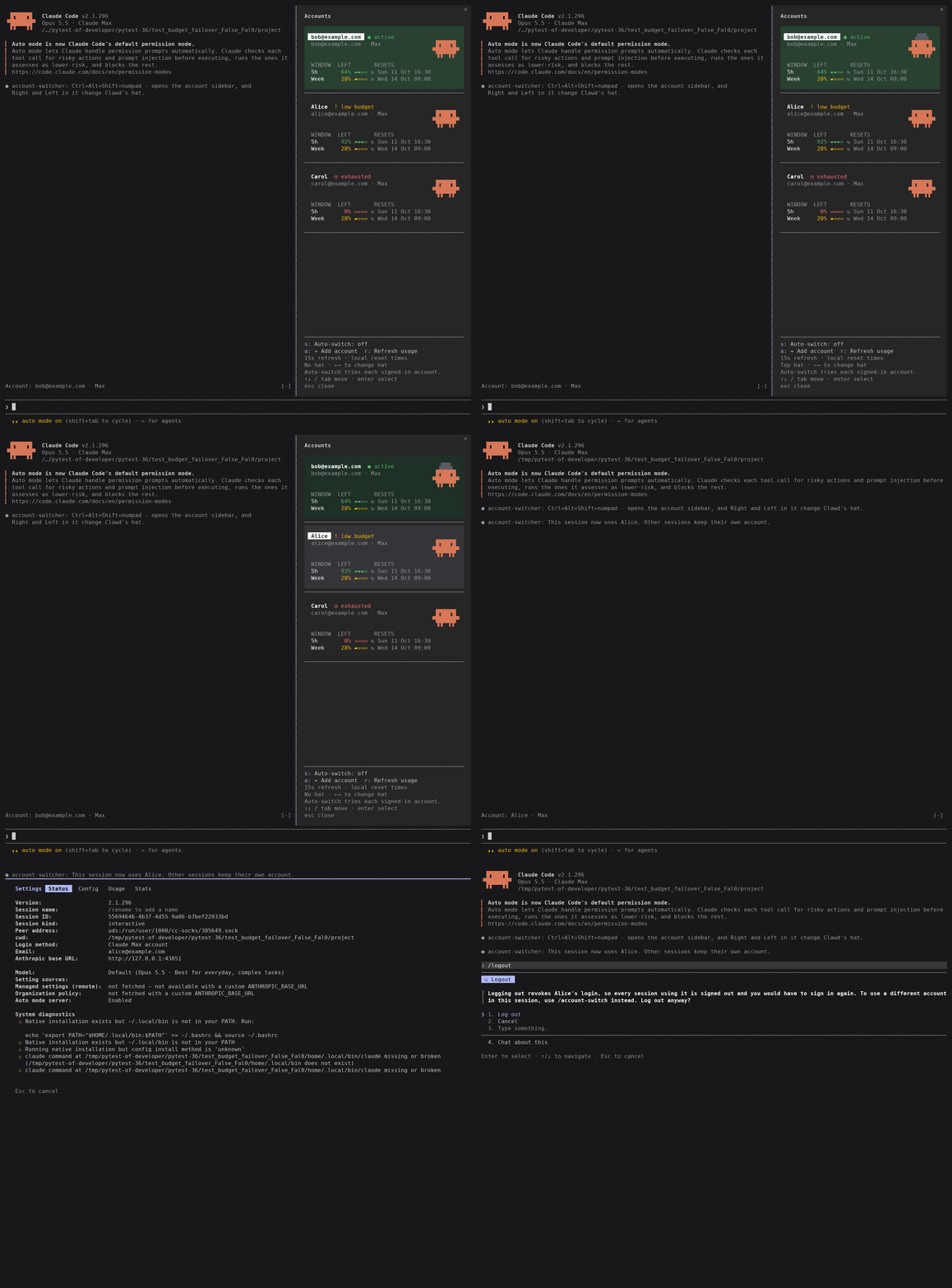
A Claude Code mod for people with more than one Claude subscription. Each session can run on a different account, and you can switch a session live without logging out. Two terminals open side by side can be on your work and personal accounts at the same time.
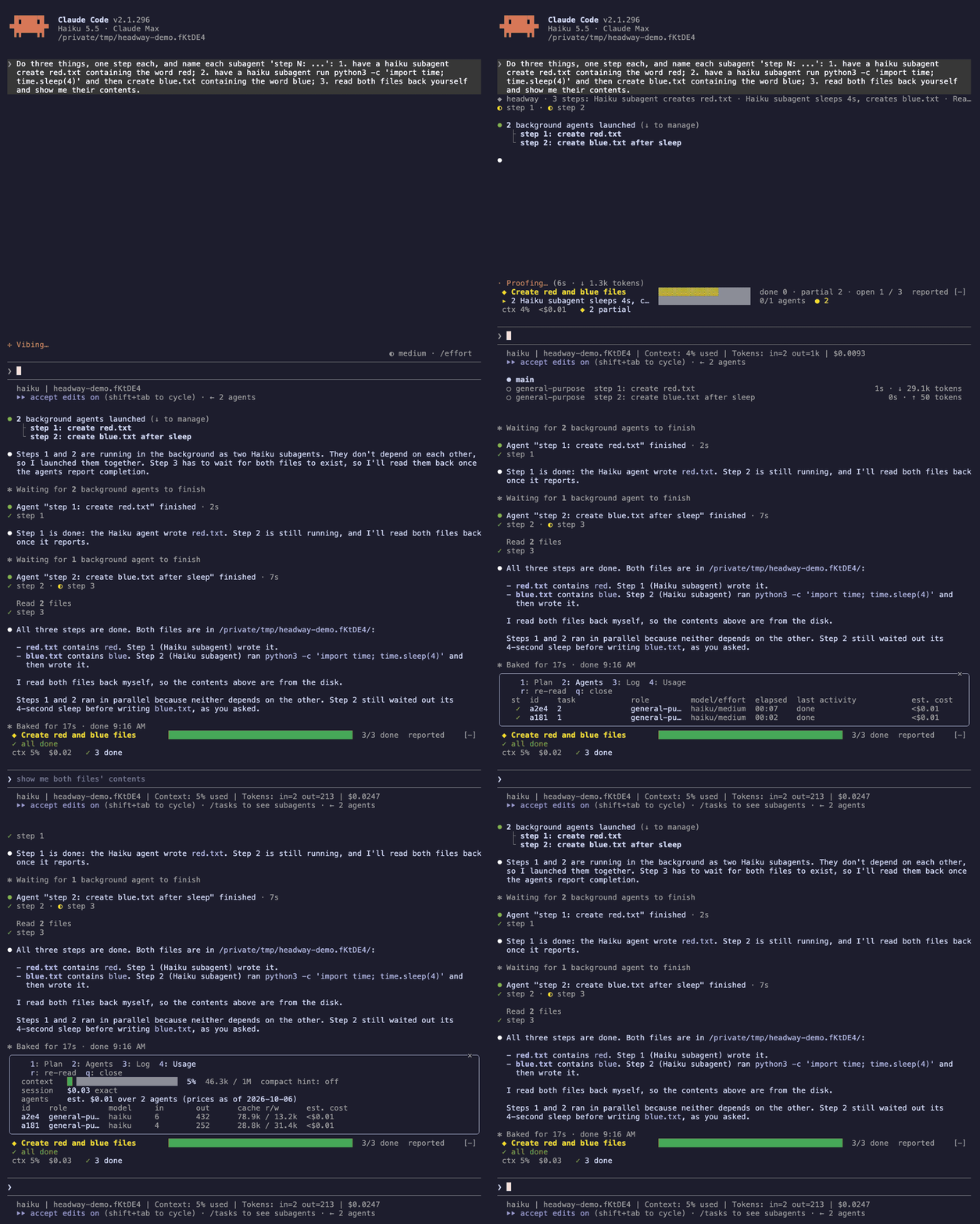
A progress band above the Claude Code prompt and a four-tab pane (Plan, Agents, Log, Usage). Type a multi-step prompt and headway shows the goal, the step in progress and every subagent under the step it works on, with blocked or stalled agents flagged and the exact session cost. Also follows plan-mode plans, a pinned plan file or workflow phases. No setup, no network calls, no subprocess. For anyone running longer Claude Code sessions.

Narsil is a chibi sea serpent that lives above your Claude Code prompt and shows at a glance what Claude is doing. She reacts to every tool call, levels up and grows through five stages as you work, offers tips and next steps, tracks your context and usage limits, and alerts you on your phone or watch while you’re away.
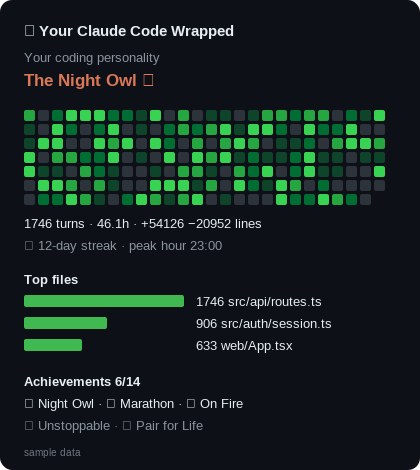
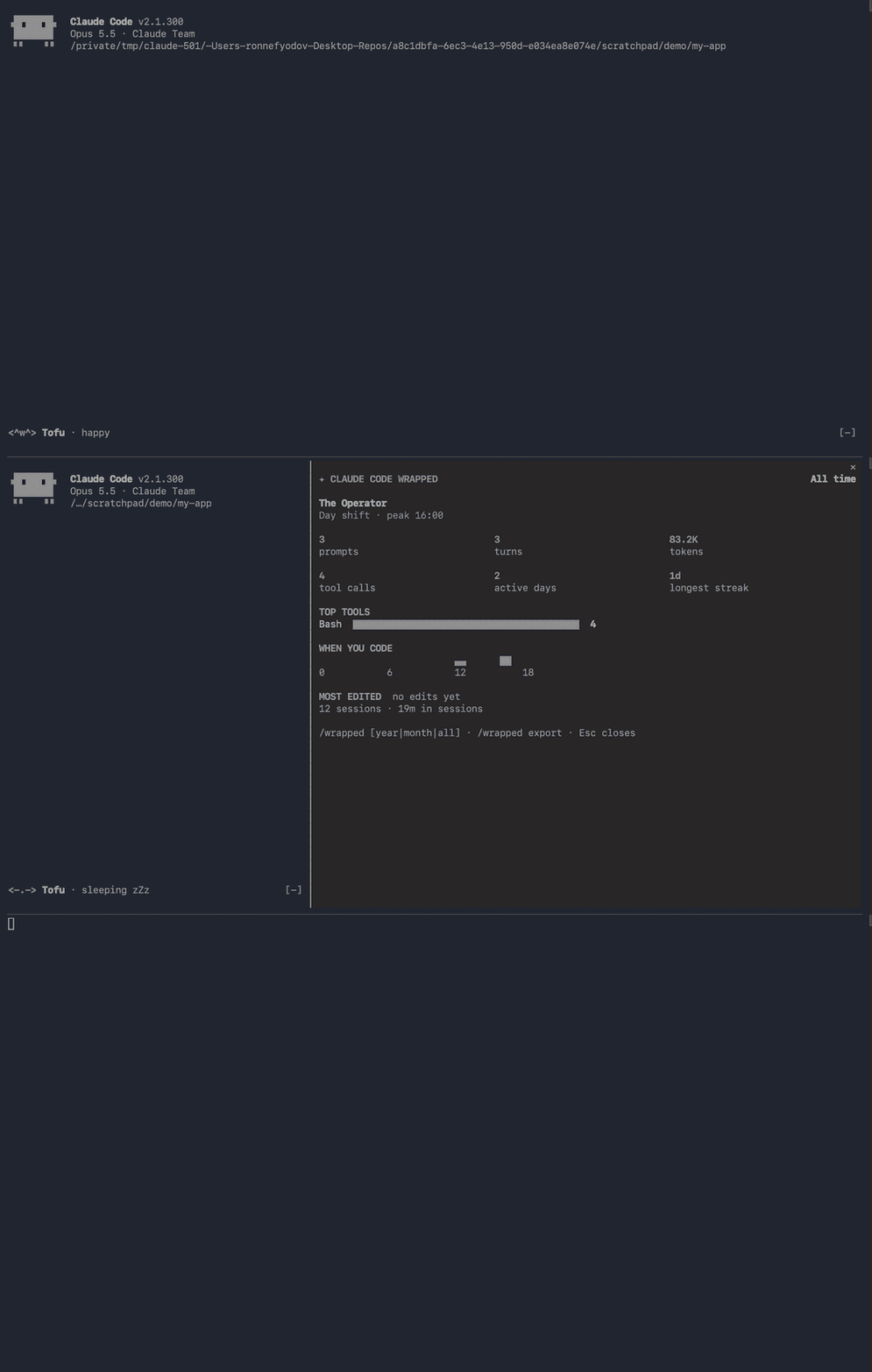
Spotify Wrapped for Claude Code. /wrapped opens a pane with a GitHub-style activity heatmap, hours, lines added and removed, streaks, top files and tools, and your coding personality (Night Owl, Refactorer, Shell Wizard...). 14 achievements pop up as toasts the moment you earn them, and one click copies a shareable summary. Pixel heatmap in the terminal, SVG with hover tooltips on desktop. All stats stay on your machine.
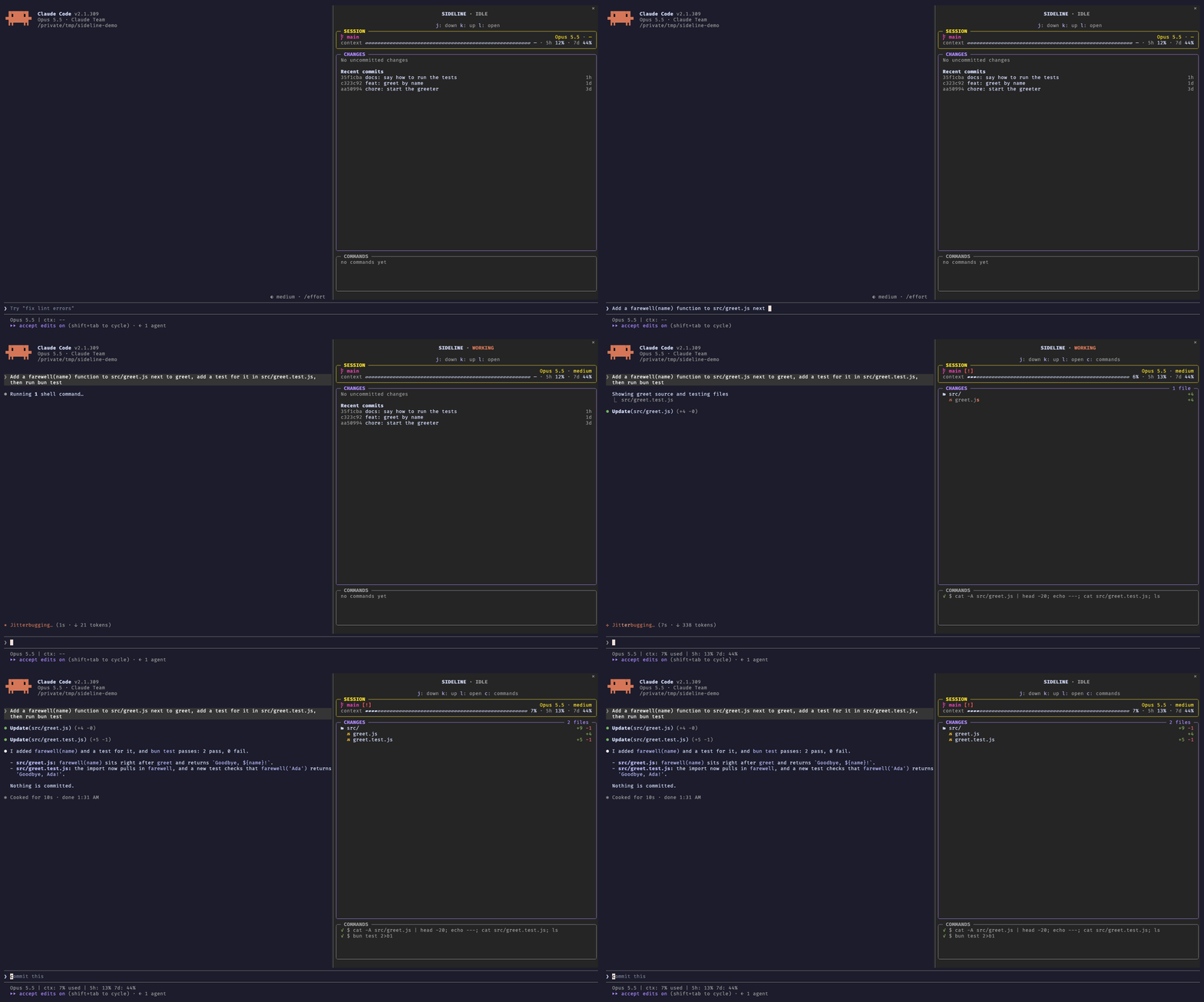
A Claude Code mod that docks a live pane beside your conversation: what Claude is doing right now, every agent, workflow and background task as a process you can open, how fast it is writing, and every prompt you sent, one click from its place in the transcript

Your Claude Code prompt is lonely. Fix that. buddy-go puts a tiny pixel coworker right above your input box. It paces (and eventually sweats) while Claude thinks, sprints with your command on a banner while tests run, types along with every edit, and hurls your PRs into orbit. When Claude asks you something, it waves until you answer. Zero productivity gained. Morale: way up. /plugin install buddy-go --marketplace magiclin99/buddy-go

A live strip above the Claude Code prompt showing session cost, a draining prompt-cache countdown and input / output / cache-read token stats, with hover card details. Six small animated pixel Clodies run while Claude works, rest in a row, sleep when the cache goes cold, and one of them changes with your reasoning level. For anyone who wants to watch spend and cache expiry at a glance.
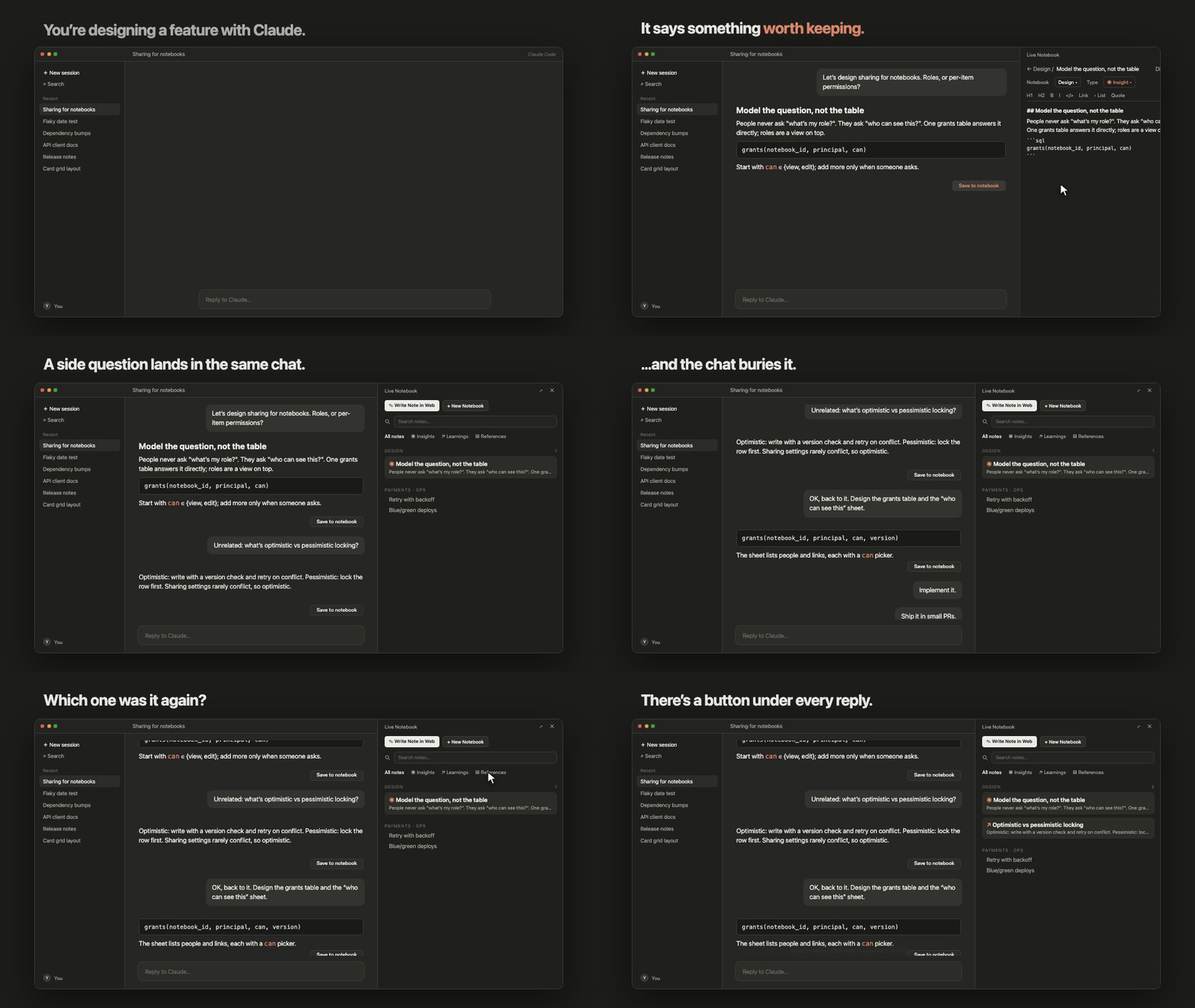
Save replies from your Claude Code conversations as Markdown notes on your own computer, then browse, search and edit them in a pane (/notebook) or a local web notebook. Save a whole reply or just the highlighted lines; every note is a plain .md file you can open in any editor. Works in the terminal and the desktop app. Local-first and open source: no account, no cloud.

The Doomguy from DOOM's status bar lives in Claude Code's footer and reacts to your session: he grits his teeth while tools run, glances around while waiting for your permission, winces on errors and grins when a turn ends. His health follows your context window, getting bloodier as it fills up. Requires kitty or Ghostty.
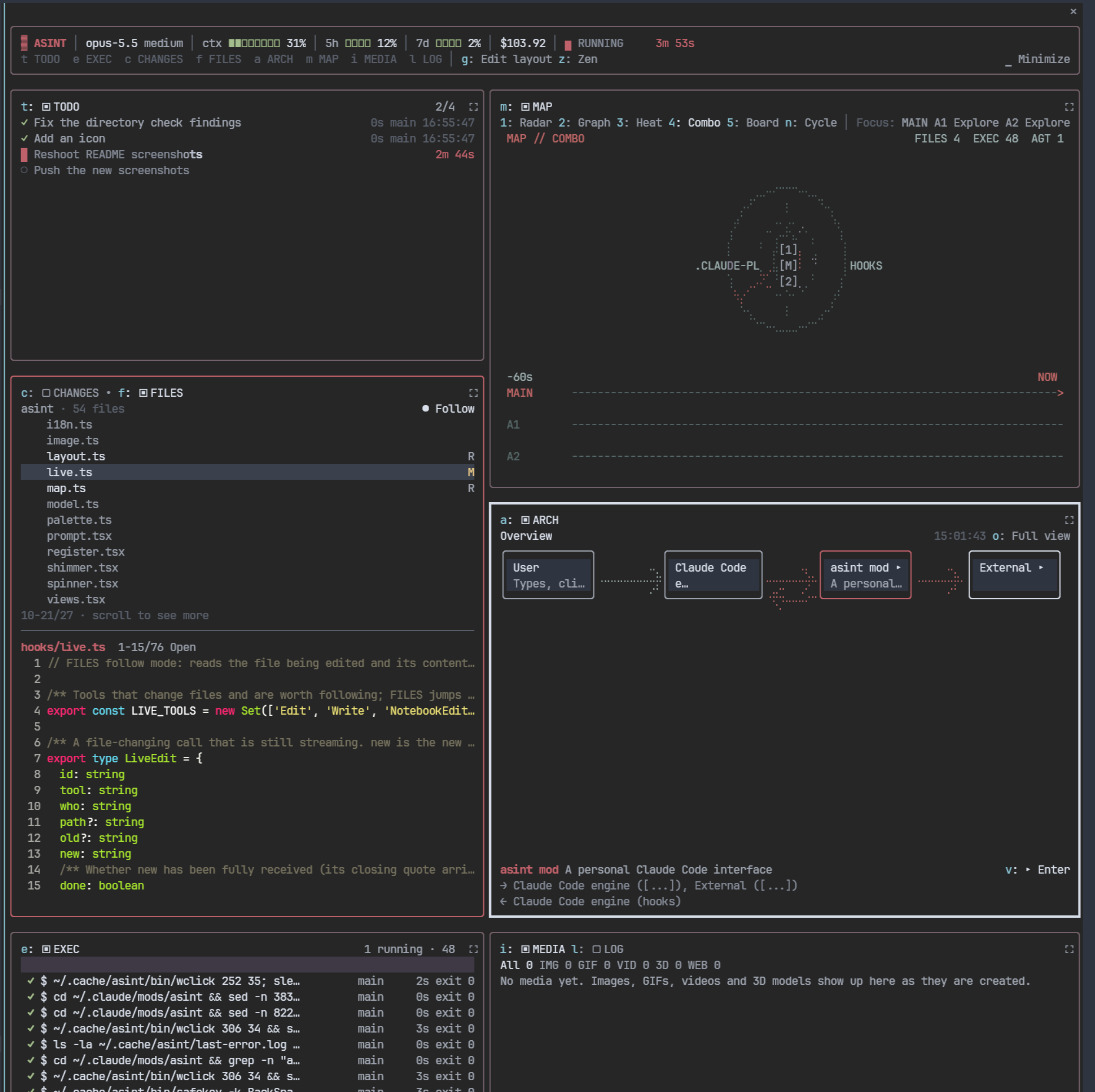
A dashboard for Claude Code that lives in the terminal next to the conversation. It shows what the session is doing while it does it: the checklist, every shell command and its output, the files touched with their diffs, the whole project tree with live previews, a radar of the main agent and its subagents that you can click to give them instructions, and the project's architecture as a clickable diagram.